
Statuses explained
Every status a quote, job, payment, trip and applicant can have, and what moves it on.
Quotes, jobs, payments, truck trips and job applicants each carry a status, shown as a coloured pill. Most statuses change by themselves when something happens (a deposit is paid, the crew press FINISH JOB). The rest change when someone in the office presses a button. This page lists every status and what moves it on.
Quote statuses#
| Status | Means | How it gets there |
|---|---|---|
| Draft | Started but not sent. | Rarely seen; quotes are normally saved as Quoted. |
| Quoted | The client has the price and nothing has been paid. | “Just email me this quote” on the booking form, or Save quote by staff. |
| Awaiting Call | The client wants to talk to someone before paying. | “Talk to a person before paying” on the form, or “Talk to a person first” on the quote page. Also call-back requests from the website. |
| Deposit Paid | The deposit has been received. | A successful deposit payment. The job is created at the same moment. |
| Converted | The quote has become a job. | Paying the deposit, or Make it a job / Save & make it a job in the office. |
| Waitlist | Reserved for short-notice bookings. | In practice the short-notice waitlist is tracked on the job, so a paid short-notice quote shows Converted and its job shows Waitlist. |
| Cancelled | No longer going ahead. | Cancel quote in the office, the client cancelling, or the job being cancelled. |
| Expired | Past its valid-until date without being booked. | A daily check expires Draft, Quoted and Awaiting Call quotes after 30 days (set in Settings). Re-open quote brings it back. |
Quotes waiting for a call also have a call-back status the office records after phoning: To Call, Called – Booked, Called – Thinking, No Answer or Not Interested.
Job statuses#
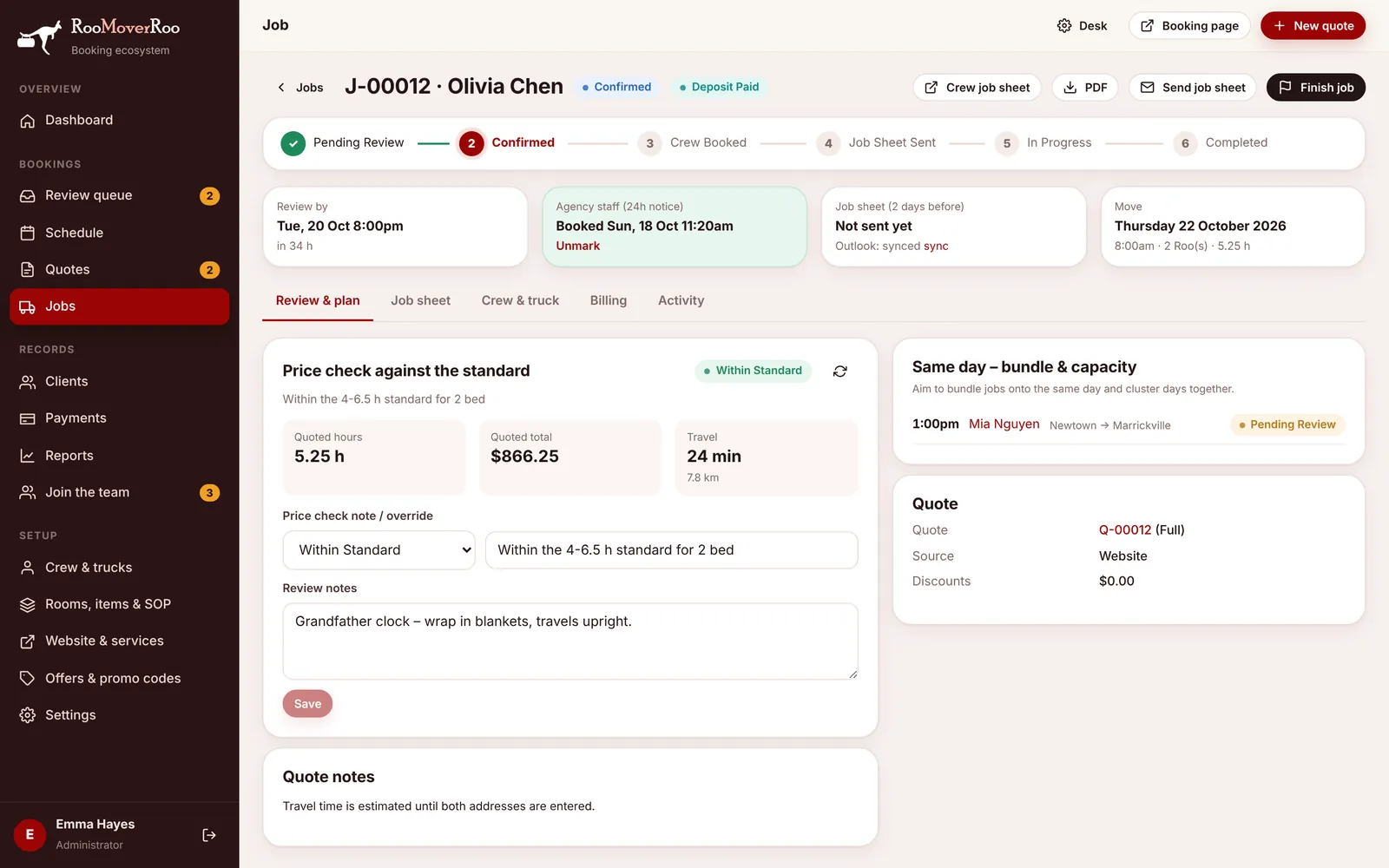
A job moves through these in order. The job record shows them as a stepper across the top.
| Status | Means | Moves on when |
|---|---|---|
| Pending Review | Booked and paid, waiting for the office to check it. | The office presses Approve. |
| Waitlist | Booked after the review deadline (short notice). Confirmed only if a crew is free. | The office approves it, or cancels and refunds. |
| Confirmed | Reviewed and accepted. The client has been told. | All crew are confirmed and agency staff are marked booked. |
| Crew Booked | The crew and any agency staff are locked in. | The job sheet is sent. |
| Job Sheet Sent | The crew have their job sheet, and the client has their reminder. Sent automatically 2 days before, or by hand with Send job sheet. | The crew tap Arrived on the job sheet. |
| In Progress | The crew have arrived and the clock is running. | The crew (or the office) press FINISH JOB. |
| Completed | Finished. The final bill has been worked out and sent. | End of the line. |
| Cancelled | Called off by the client or the office. | Re-open sends it back to Pending Review. |
Payment status of a job#
| Status | Means |
|---|---|
| Unpaid | Nothing received yet. |
| Deposit Paid | Only the deposit has been received. |
| Part Paid | More than the deposit, but a balance is still owing. |
| Paid | The job is completed and nothing is owing. |
| Refunded | The deposit was refunded and nothing is held. |
Price check#
Every new job is compared with your price standards for its number of bedrooms and Roos: Within Standard, Above Standard, Below Standard, or Not Checked when there’s no standard for that size.
Payments#
| Status | Means |
|---|---|
| Pending | Started but not confirmed by the bank yet. |
| Succeeded | Received. Only these count towards what’s paid. |
| Failed | Declined or abandoned. |
| Refunded | Paid back to the client. |
Each payment also has a type (Deposit, Balance, Refund, Other) and a method (Stripe, Apple Pay, Bank Transfer, Cash, Card (manual)).
Truck trips, day sheets and applicants#
- Truck trips: Planned, Loaded, Delivered. The crew change these on the Truck tab of the job sheet.
- Start-of-day sheets: Open until the driver completes the checks, then Completed.
- Job applicants: New, Shortlisted, Interview, Offer, Hired, Rejected. You drag them between lanes on Join the team.