
Google Maps
Address lookup, travel time with traffic, distance and tolls.
Google Maps does two jobs in RooMoverRoo. On the booking form it suggests addresses as the client types. For pricing, it works out the drive time between the two addresses for the chosen date and start time, with traffic, plus distance and tolls. Both feed the price.
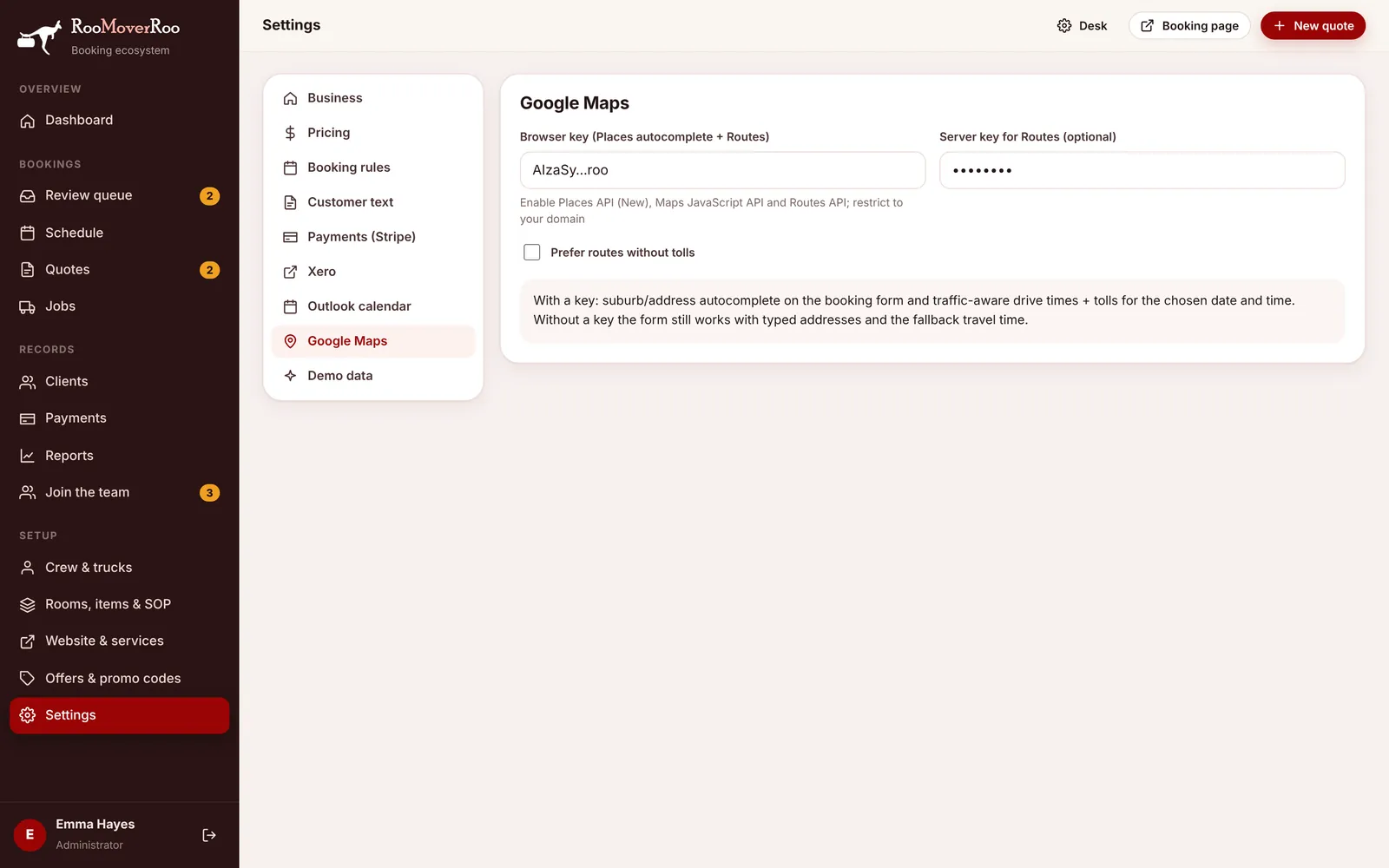
Set up a key#
- In the Google Cloud console, create a project with billing turned on.
- Enable Places API (New), Maps JavaScript API and Routes API.
- Create an API key and restrict it to your app’s domain (HTTP referrers).
- In
/roo/settings, open Google Maps and paste it into Browser key (Places autocomplete + Routes). - Optional: create a second key without a referrer restriction, restricted to the Routes API, for the server, and paste it into Server key for Routes (optional).
- Tick Prefer routes without tolls if you’d rather avoid toll roads when there’s a choice.
How travel is priced#
- The drive time is for the move date and start time the client picks, so a weekday 8 am start is priced with peak traffic. Before a date is chosen the form shows the travel as estimated.
- When the load needs more than one truck trip, every extra trip adds a return drive, so the travel time counts twice more for each trip.
- Tolls on the route are added to the quote, once per trip.
- Without a key, or if Google can’t find a route, the app uses Fallback travel minutes (no Maps) from the Pricing tab (30 minutes by default) and tells the client the travel time is estimated.
For the full price calculation, see How prices are worked out.