
Crew and trucks
Add your Roos and agency staff, and the trucks they drive. Hired applicants are added automatically.
Crew & trucks holds two lists: your removalists (your own Roos and anyone you book through an employment agency) and the trucks they drive. Jobs pick their crew and truck from these lists, and the truck’s capacity decides how many trips a load needs.
Removalists#
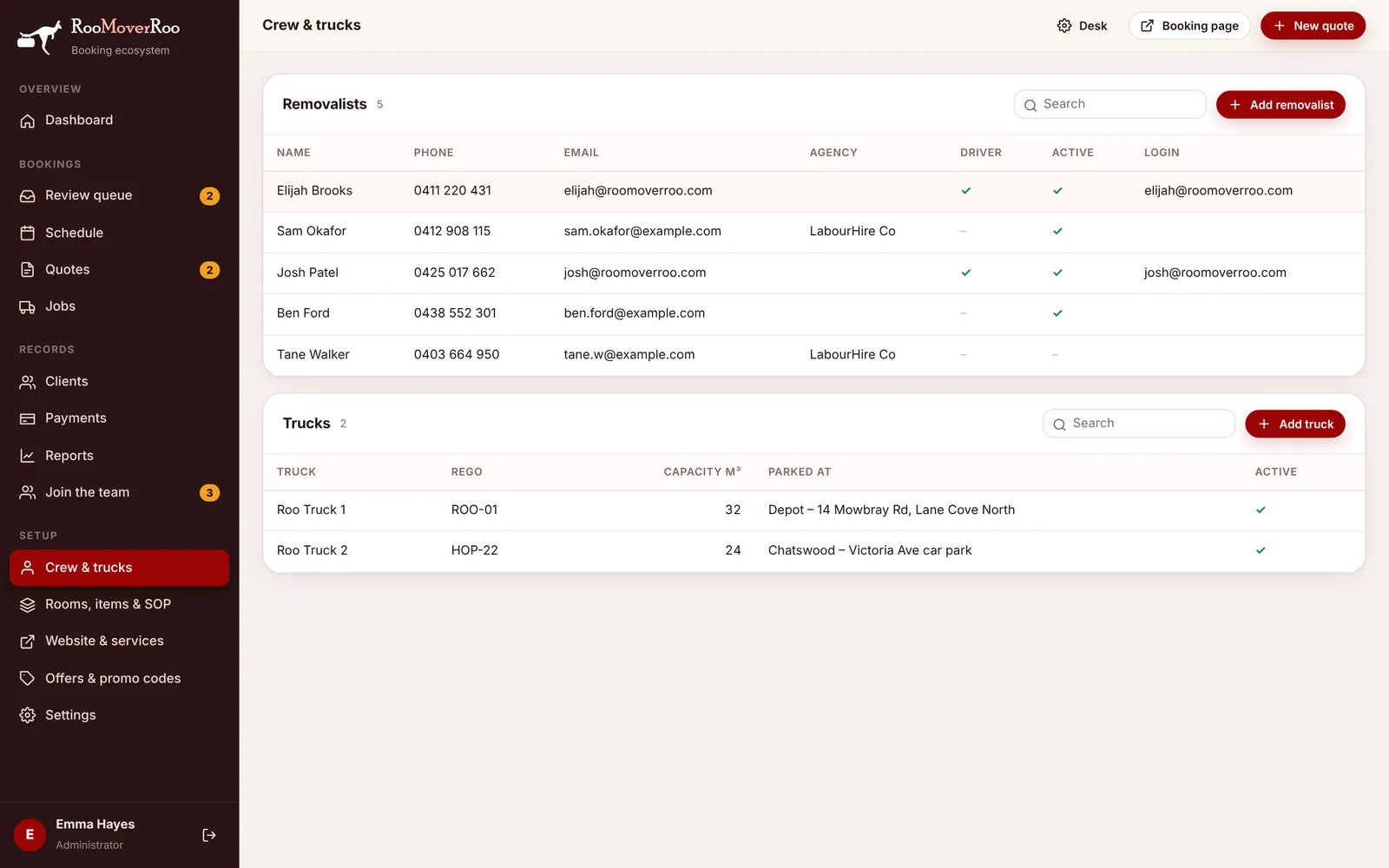
The table shows each person’s Name, Phone, Email, Agency, whether they’re a Driver, whether they’re Active, and their Login if they have one. Click a row to edit it, or choose Add removalist.
When you mark an applicant as hired under Join the team, a removalist is created for them here automatically.
| Field | What it’s for |
|---|---|
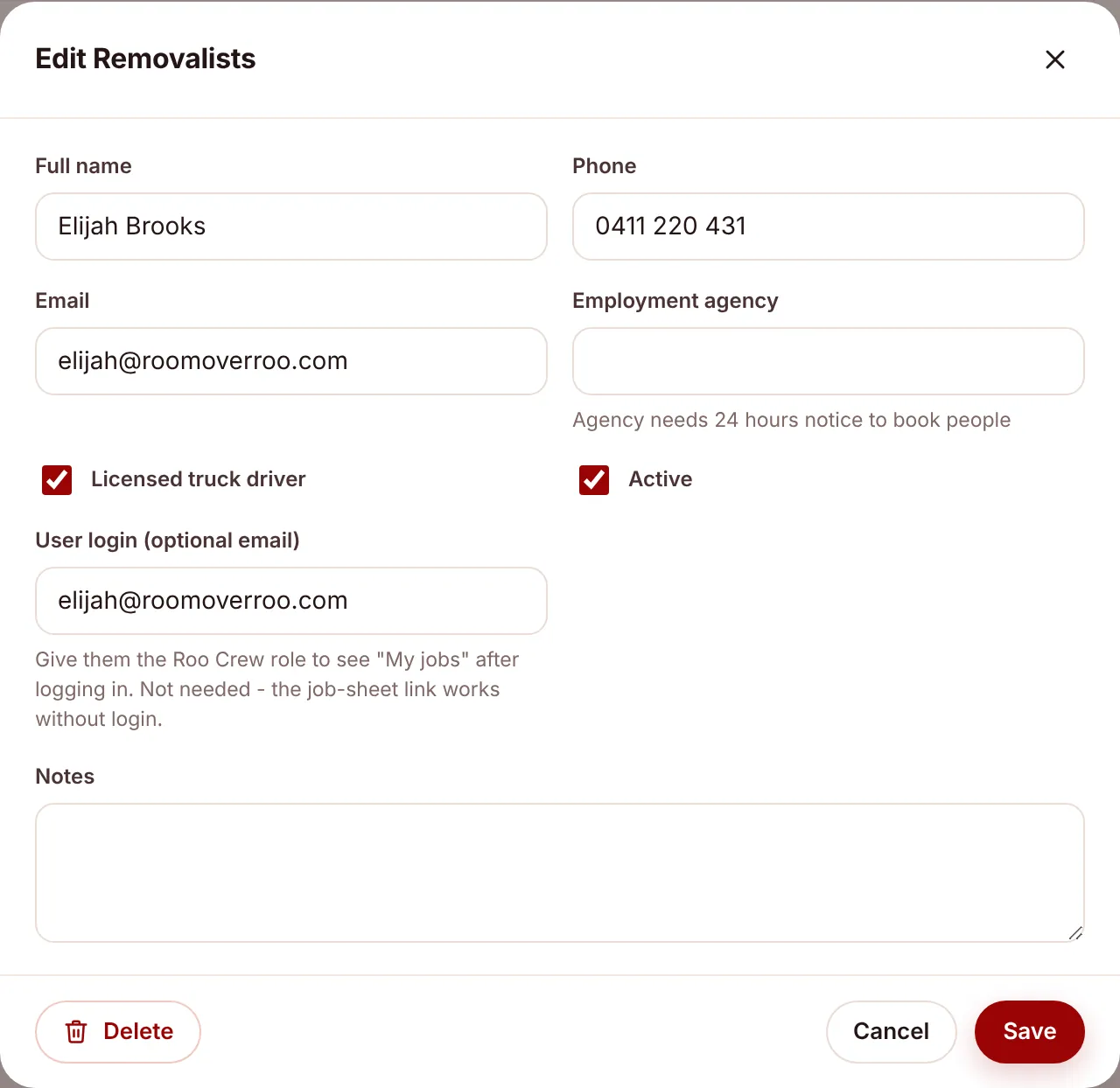
| Full name | Shown on the job record, the job sheet and in the crew list. |
| Phone, Email | The email is where the job sheet is sent two days before each job they’re on. |
| Employment agency | The agency this person comes through, if any. Agency staff need 24 hours’ notice to book, so jobs show an agency deadline (set under Employment agency notice (hours) in Booking rules). |
| Licensed truck driver | Tick for people who can drive the truck. Drivers are listed in the Driver column. |
| Active | Untick for people who no longer work with you. They stay on old jobs but aren’t offered for new ones. |
| User login (optional email) | Only if this person should sign in. Give that user the Roo Crew role and they see My jobs after signing in. It isn’t needed, because the job-sheet link works without a login. |
| Notes | Anything the office should know. |
Putting people on a job#
Crew are added to a job on the Crew & truck tab of the job record, as Driver or Offsider, and ticked as confirmed when they’ve said yes. Once the job is confirmed, every crew member is confirmed and agency staff are marked as booked, the job moves to Crew Booked.
Trucks#
The trucks table shows Truck, Rego, Capacity m³, Parked at and Active. Choose Add truck to add one. New trucks start at 32 m³.
| Field | What it’s for |
|---|---|
| Truck name | The name everyone uses, for example “Roo Truck 1”. It can’t be changed once saved. |
| Registration | The rego plate. |
| Capacity (m³) | How much the truck holds. |
| Active | Inactive trucks aren’t offered for jobs. |
| Current location | Where the truck is parked. The driver updates it from the start-of-day sheet, so the next driver knows where to find it. |
Each date with jobs also gets one start-of-day sheet per truck, created automatically. See What runs automatically.