
Outlook calendar
Put every job in the owner's Microsoft 365 calendar.
Every job-sheet email already includes a calendar file (.ics) that opens in Outlook, Google Calendar or Apple Calendar. If you’d like jobs to appear in the owner’s Microsoft 365 calendar automatically, and stay up to date, connect Outlook.
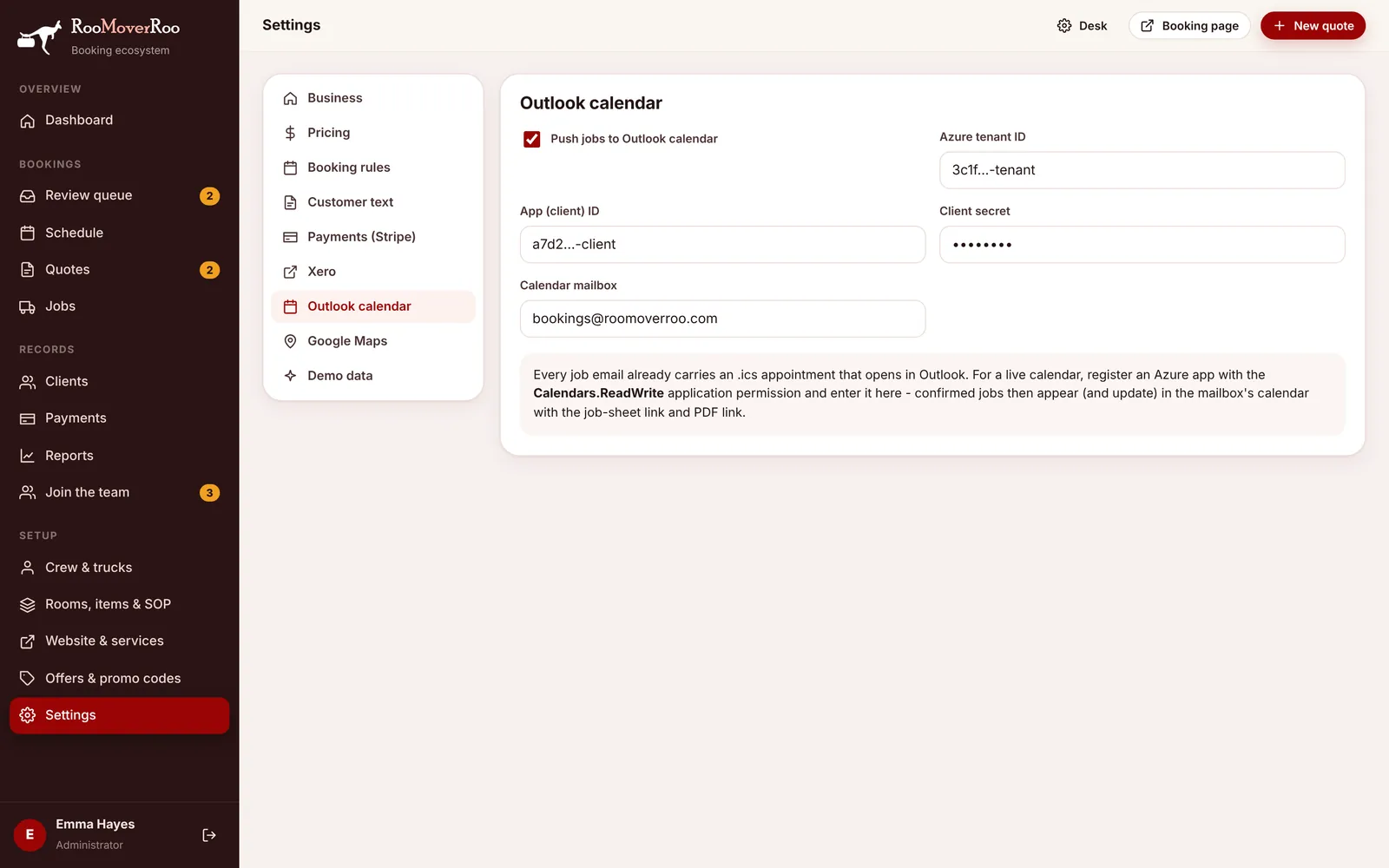
Connect Outlook#
- Register an app in Azure. In the Azure portal (Microsoft Entra ID), go to App registrations and register a new app. Under API permissions, add the Microsoft Graph application permission
Calendars.ReadWriteand grant admin consent. - Create a client secret under Certificates & secrets and copy its value.
- Fill in the tab. In
/roo/settings, open Outlook calendar and enter the Azure tenant ID, App (client) ID, Client secret and the Calendar mailbox whose calendar should hold the jobs, for example roo@roomoverroo.com. - Turn it on. Tick Push jobs to Outlook calendar and choose Save settings.
What appears in the calendar#
The appointment is created when the office confirms the job in the review queue. It’s updated whenever the job is saved with changes, when the job sheet is sent (two days before by default) and when the job finishes. Staff can also push it by hand from the job record. It’s titled “Move”, the job number, the client’s name and the suburbs, starts at the job’s start time, is located at the pick-up address, carries the category “RooMoverRoo” and includes the job details and the job-sheet link. If a job is cancelled, its appointment is removed from the calendar.