
Connecting the WordPress site
The site key, the app address and testing the connection.
The website and the app talk to each other server to server. The website needs two things from you: the app’s address, and a site key. The site key is a shared password that lets the website send job applications and call-back requests to the app.
Do this once when you set up the site, and again if you ever generate a new key.
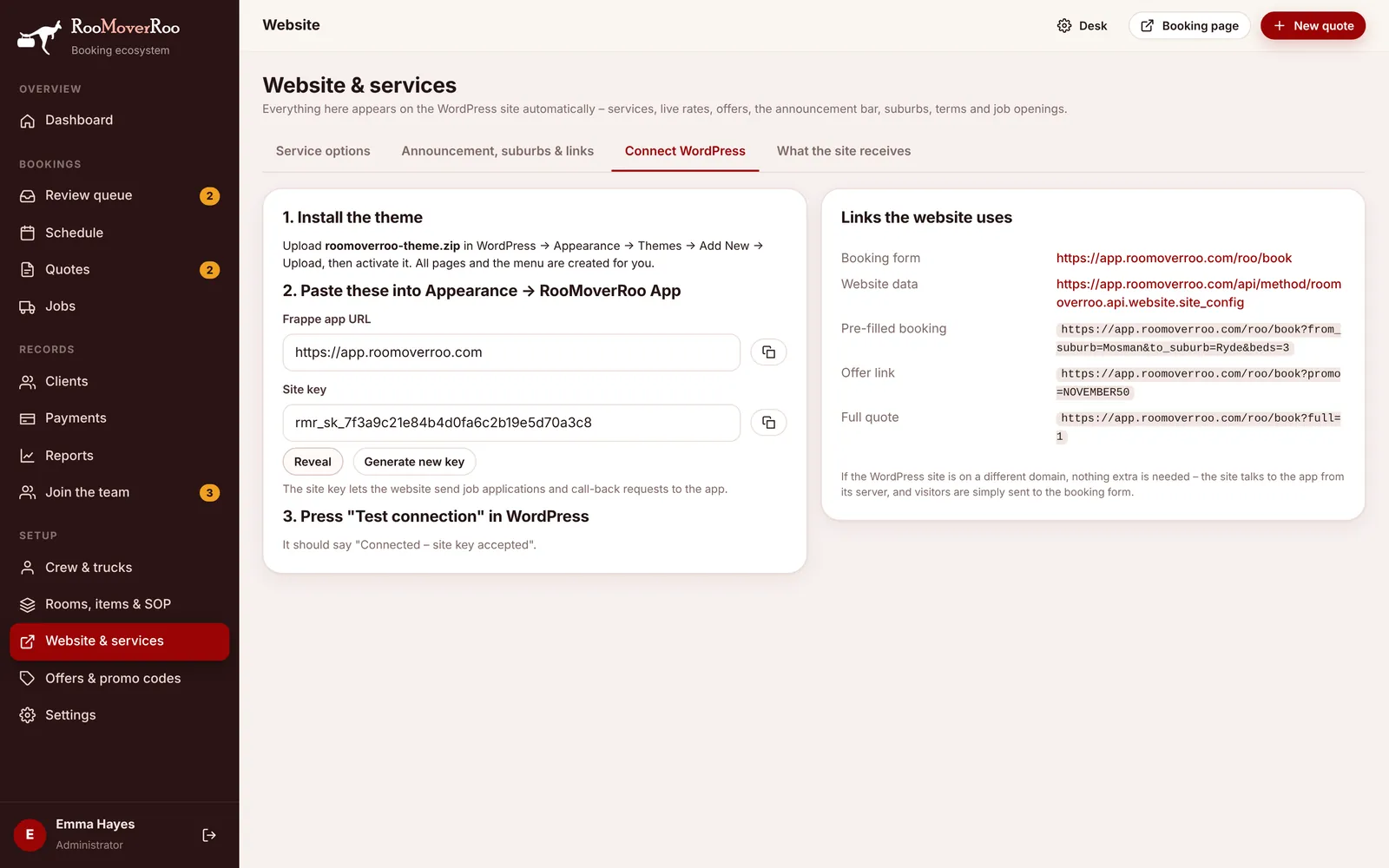
Connect the site#
- Install the theme. In WordPress, go to Appearance, Themes, Add New, Upload Theme, choose the RooMoverRoo theme zip and activate it. The pages and the menu are created for you.
- Get the site key. In the app, open
/roo/websiteand the Connect WordPress tab. Press Reveal to show the key, then the copy button. If it says there’s no key yet, press Generate new key. - Copy the app address. The Frappe app URL on the same tab is the address to use.
- Paste both into WordPress. In WordPress, go to Appearance, then RooMoverRoo App. Paste the address into App URL and the key into Site key, then Save settings.
- Test it. Press Test connection. It should say “Connected – site key accepted. Website data refreshed.”
If the test fails#
| Message | What to do |
|---|---|
| Could not reach the app | Check the App URL: the full https address of your app, with no slash at the end and without /roo. |
| Connected, but the site key was not accepted | The key in WordPress doesn’t match the app. Reveal it again in the app and paste it in. Until they match, applications and call-backs are limited to a few an hour per visitor. |
Changing the key#
Generate new key makes a new key and the old one stops working straight away. The app asks you to confirm first. Paste the new key into WordPress immediately, then press Test connection.
How fresh the website is#
- The app keeps the website’s data ready and rebuilds it as soon as you change a service, offer, opening or setting.
- WordPress keeps its own copy for 5 minutes by default. You can change this with Refresh every on the RooMoverRoo App page in WordPress, from 1 minute up to a day.
- To see a change straight away, press Refresh website data now in WordPress.
- If the app can’t be reached, the website keeps showing the last good copy and tries again a minute later, so it never goes blank.
Links the website uses#
The right-hand side of the tab lists the links the website builds. You can use the same patterns in emails, flyers and social posts.
| Link | Opens |
|---|---|
/roo/book | The booking form. |
/roo/book?full=1 | The booking form on Full Quote. |
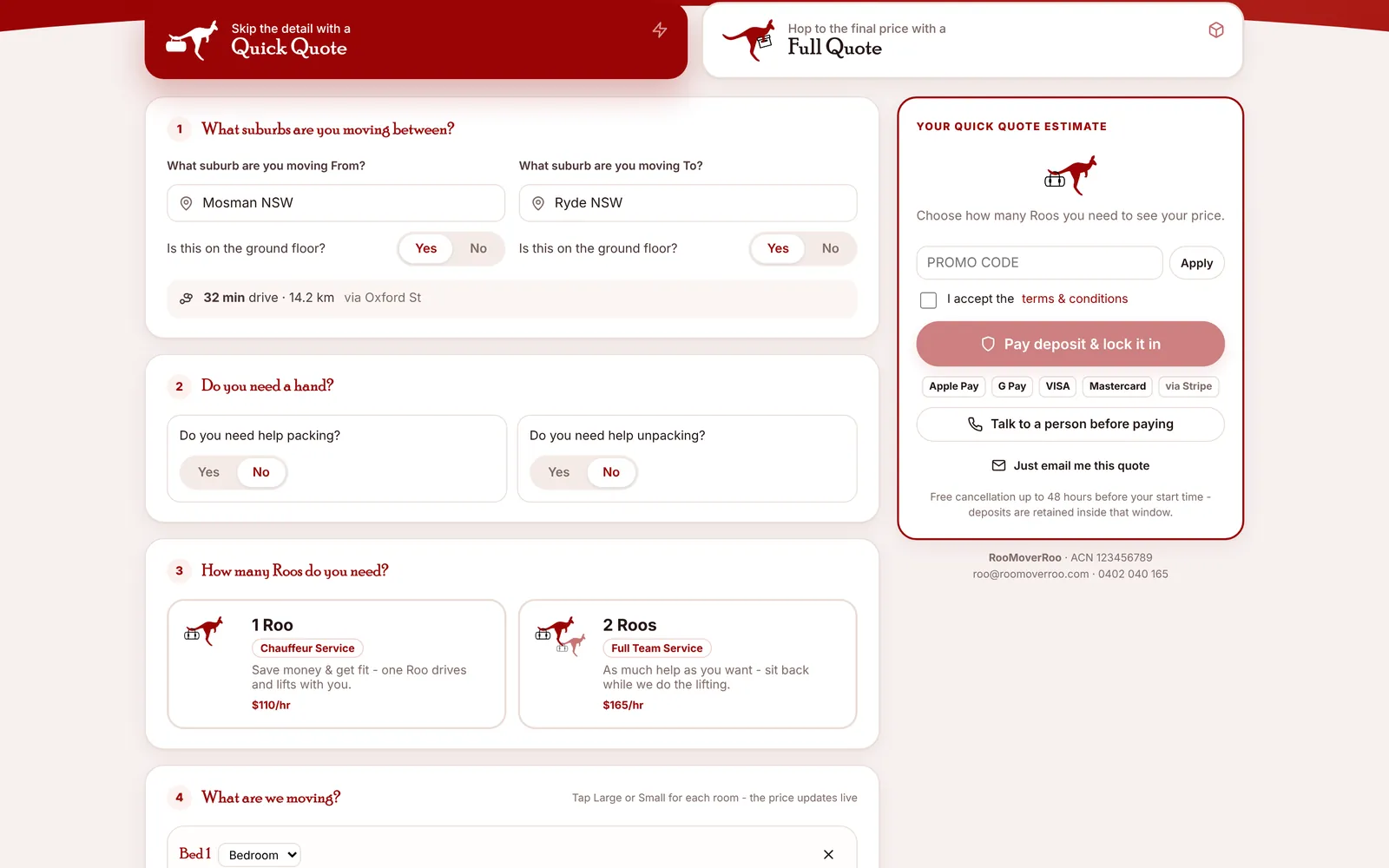
/roo/book?from_suburb=Mosman&to_suburb=Ryde&beds=3 | The booking form with the suburbs and bedrooms filled in. |
/roo/book?promo=NOVEMBER50 | The booking form with the promo code applied. |
/roo/book?roos=1 | The booking form with one Roo chosen. |
The booking form also accepts first_name, last_name, phone, email, date, packing, unpacking, rooms and src (the marketing source). See The booking form.
The website and the app can be on different domains. Nothing extra is needed.