
Promo codes and discounts
Percent, fixed and first-hours discounts, bundle days and the thank-you code.
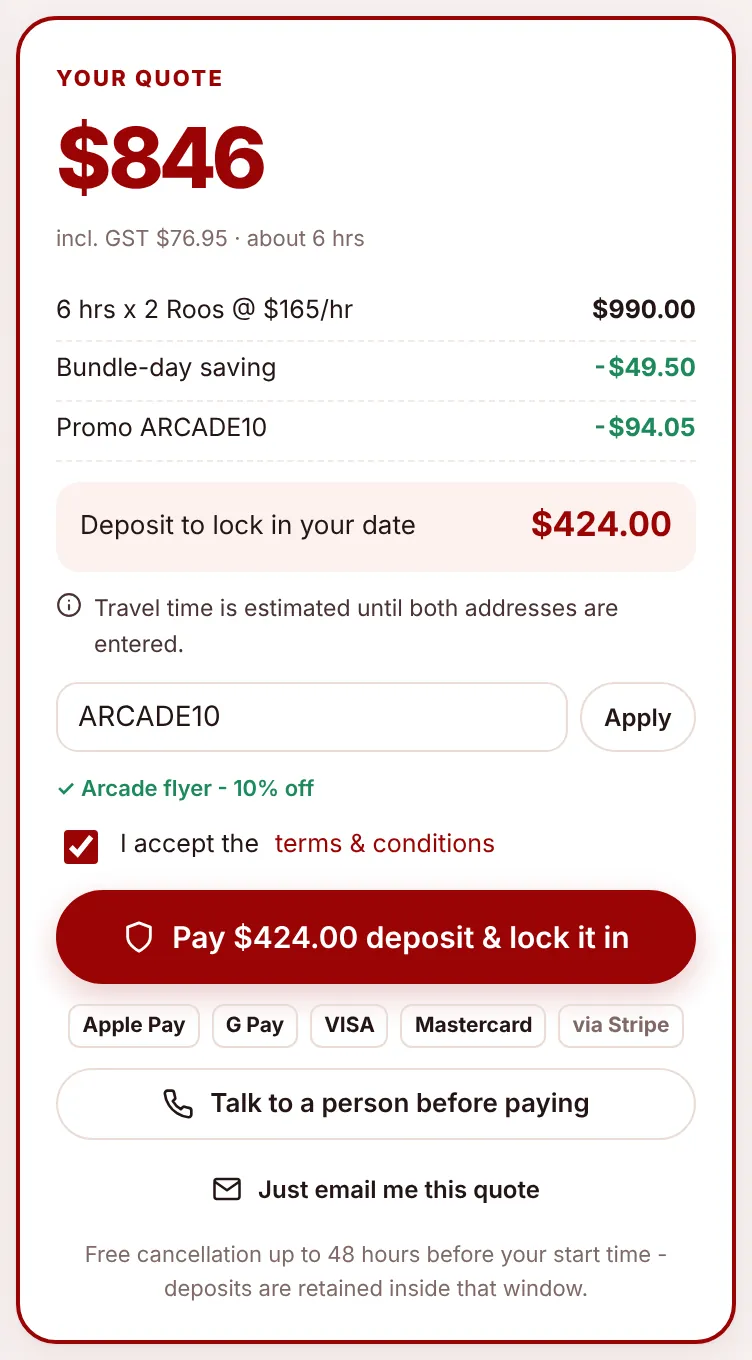
A client’s price can come down in two ways: a bundle-day saving when they pick a day you’re already working, and a promo code. They can have both. This page explains how each works from the client’s side. To create and manage codes, see Offers and promo codes.
Bundle-day saving#
When the client picks a date that already has a job booked (and still has room), they automatically get the bundle-day discount, 5% by default. The calendar marks these days “Bundle day – save 5%” and the price panel shows a “Bundle-day saving” line. Nothing to type. It helps you fill days you’re already working rather than spreading jobs across the week.
Promo codes#
Clients type a code into the Promo code box in the price panel and choose Apply. If it’s valid, a tick and the code’s description appear and the discount shows as a “Promo” line in the price. Otherwise they see why: “That code isn’t valid”, “That code isn’t active yet”, “That code has expired” or “That code has been fully used”.
Codes also arrive without typing:
- In a link:
/roo/book?promo=NOVEMBER50applies the code when the form opens. The website’s offer cards use these links, and you can put them on flyers and QR codes. - From a pop-up: a code set to show as a pop-up appears once per visit, and Use code & start my quote applies it.
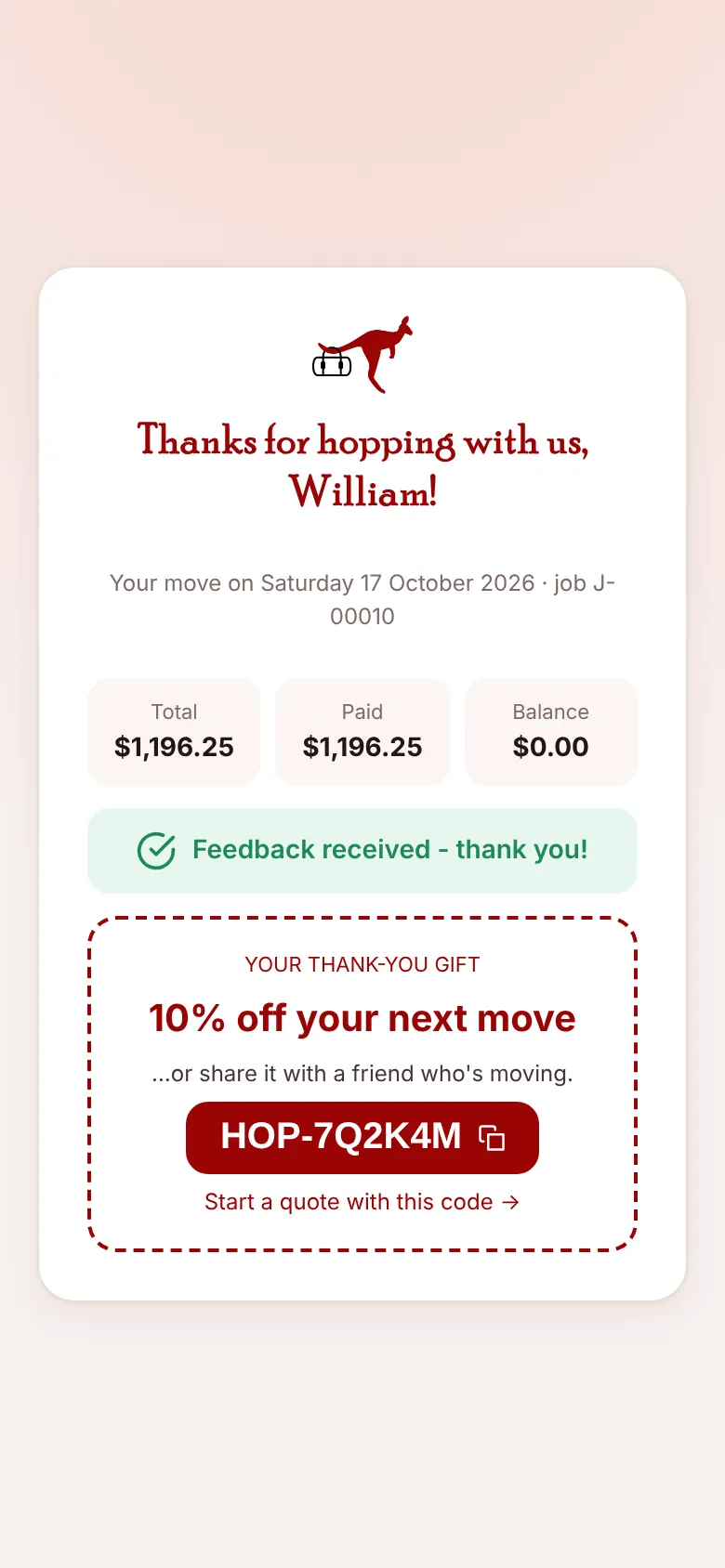
- From a thank-you email: after every completed move the client gets a personal code to use again or share.
Three kinds of discount#
| Type | Takes off | Example |
|---|---|---|
| Percent | A percentage of the price | WELCOMEBACK10: 10% off. On a $948.75 move, $94.88 off. |
| Fixed Amount | A dollar amount | $50 off, never more than the price. |
| Hours Percent | A percentage of the first few hours of labour | NOVEMBER50: 50% off the first 2 hours. With 2 Roos at $165, that’s $165 off. |
Discounts apply in order: the bundle-day saving first, then the promo code on what’s left. Only one promo code can be used per quote.
When a code is counted as used#
A code’s use is counted when the quote becomes a job, not when it’s typed in. Codes with a maximum number of uses stop working once they reach it.
The thank-you code#
When a job is finished, the app creates a personal code for the client, like HOP-7Q2K4M: 10% off their next move by default, usable twice (so they can share it with a friend) and valid for a year. It’s shown on their feedback page and in the “Job complete” email, with “Start a quote with this code”. You set the percentage with Thank-you discount for next move % in Settings, Pricing (set it to 0 to stop issuing them).
Where discounts show in the office#
- The quote’s total card lists the bundle-day saving and promo lines, and the promo code is shown with the quote’s source.
- The job record shows the discount on the Billing tab and keeps it in the final bill.
- Reports totals discounts given and lists the promo codes used.