
Dashboard
Today's numbers, what needs attention, upcoming moves and where bookings come from.
The Dashboard is the first screen you see after signing in at /roo. It greets you by name and gives you the state of the business at a glance: how many moves are done, what’s waiting for you, and what’s coming up. Almost everything on it is clickable and takes you to the screen with the detail.
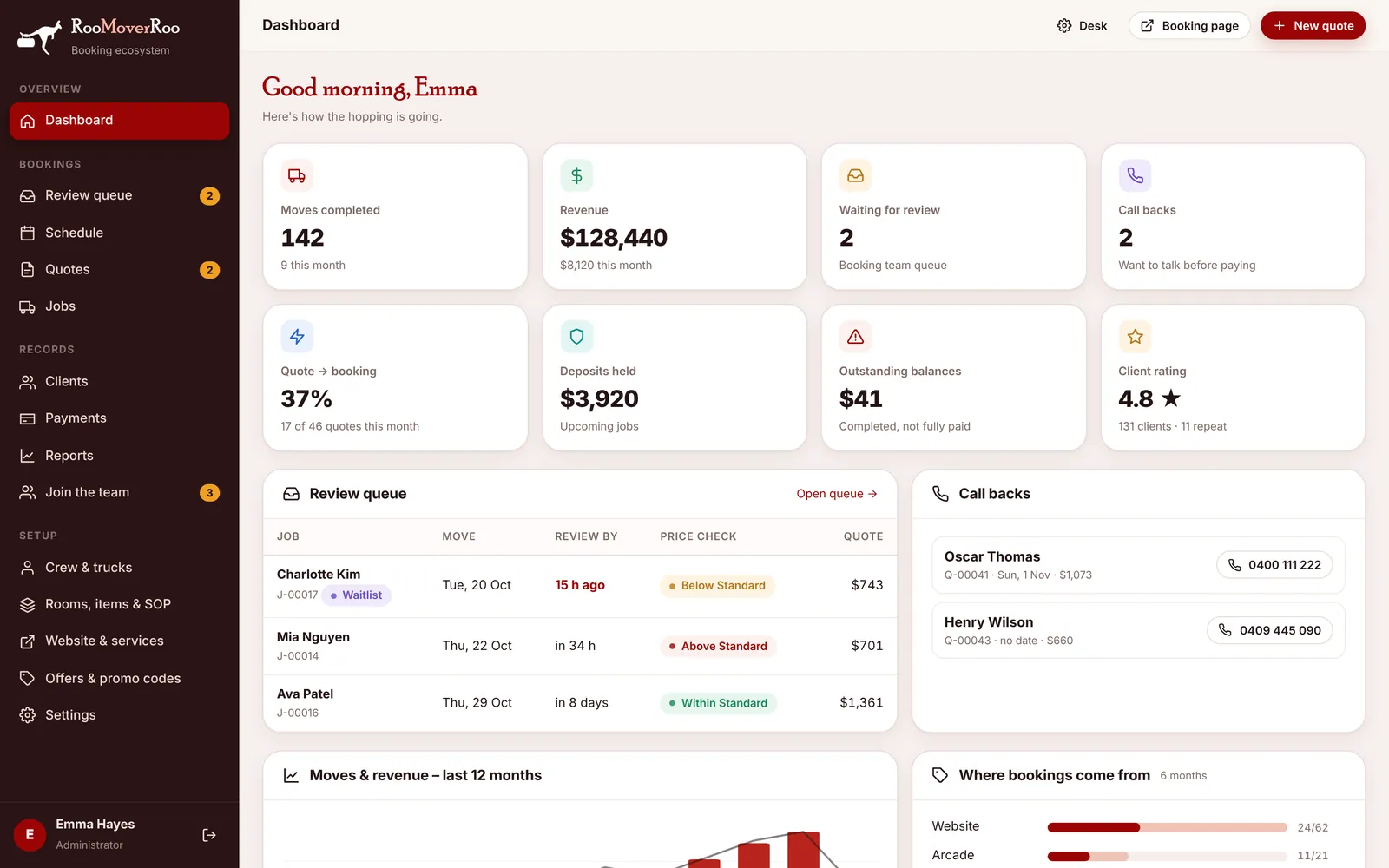
The number cards#
Each card shows a total and, underneath, a smaller figure for context. Click a card to open the matching list.
| Card | What it counts | Opens |
|---|---|---|
| Moves completed | All completed jobs, with this month’s count underneath. | Jobs |
| Revenue | Final totals of completed jobs, with this month underneath. | Reports |
| Waiting for review | Jobs that are Pending Review in the booking team’s queue. | Review queue |
| Call backs | Clients who want to talk before paying (Awaiting Call quotes). | Quotes, Awaiting Call tab |
| Quote → booking | The share of this month’s quotes that became bookings. | Quotes |
| Deposits held | Deposits paid on upcoming jobs. | Payments |
| Outstanding balances | Money still owed on completed jobs that aren’t fully paid. | Jobs, Unpaid tab |
| Client rating | The average star rating from feedback, with the number of clients and repeat clients. | Clients |
Review queue and call backs#
Under the cards, the Review queue panel lists jobs waiting for review with the move date, the review deadline (shown in red once it has passed), the price check result and the quoted price. Click a row to open the job, or Open queue → to go to the full Review queue.
The Call backs panel lists clients waiting for a call, with a phone button you can tap to ring them from a phone or a computer set up for calls. Click a name to open their quote.
Further down#
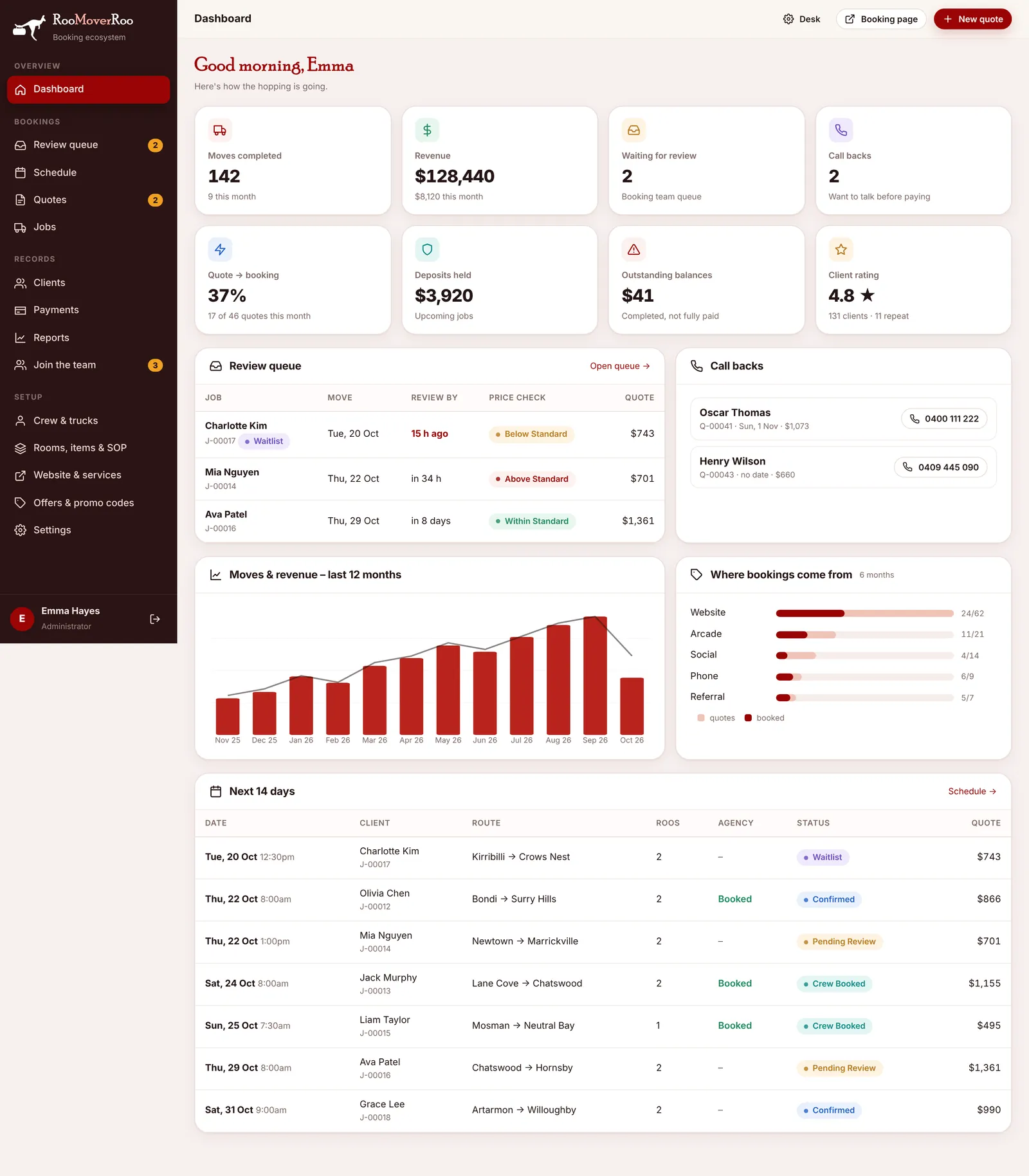
- Moves & revenue – last 12 months: a bar chart of completed moves and revenue by month.
- Where bookings come from: for the last 6 months, the number of quotes and bookings from each source (Website, Arcade, Social, Phone, Referral and so on). Use it to see which marketing works.
- Next 14 days: every move in the next two weeks that isn’t cancelled or completed, with its status and whether agency staff are booked. Click a row to open the job.