
Jobs
Every booked move in one list, with status, payment and price-check columns.
A job is a booked move. Jobs are created when a client pays a deposit, or when the office turns a quote into a job. /roo/jobs lists every job, so you can see what’s coming up, what’s in progress and what’s still owed.
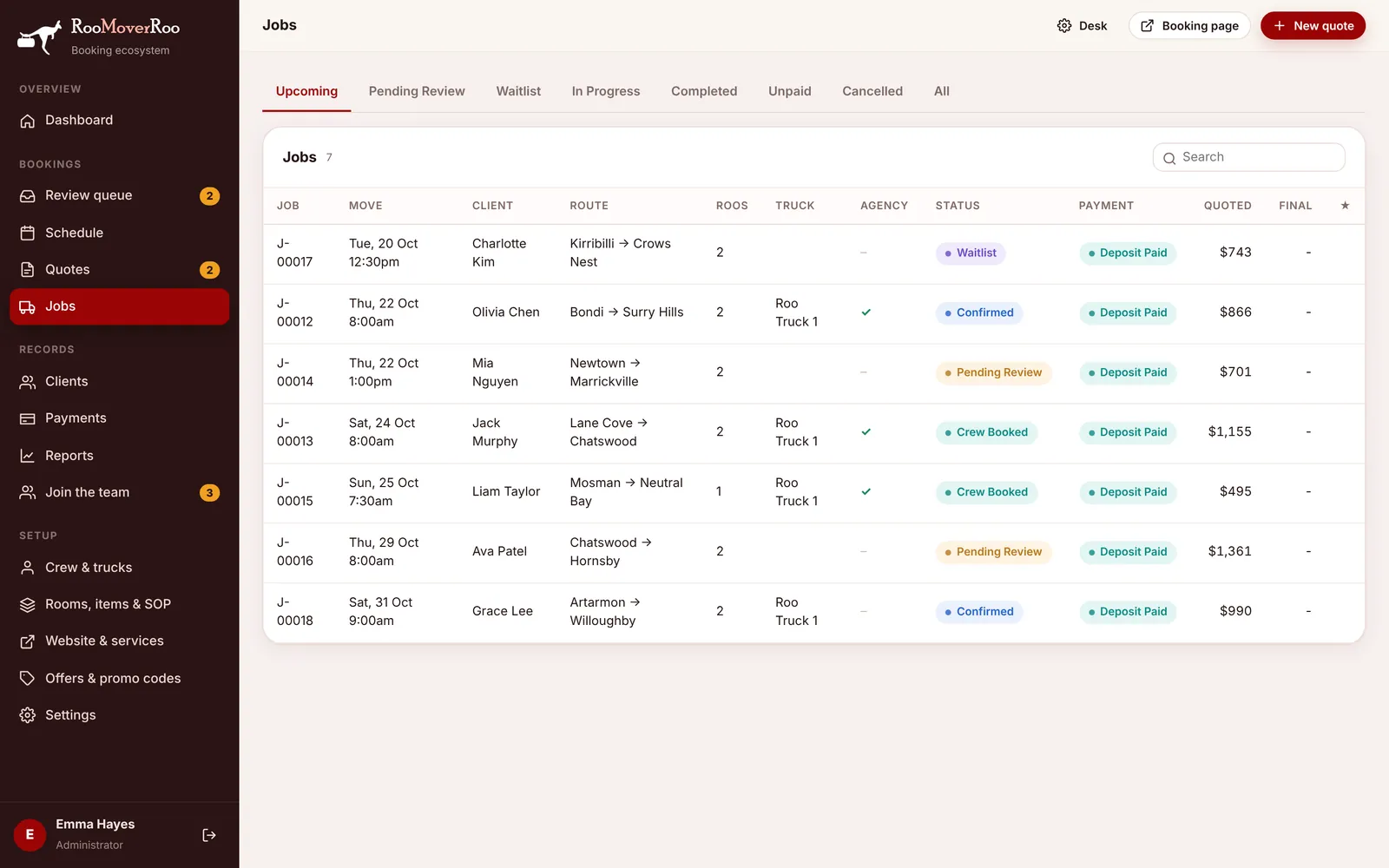
Tabs#
| Tab | Shows |
|---|---|
| Upcoming | Moves dated today or later that aren’t cancelled or completed. This is where the list opens. |
| Pending Review | Jobs waiting for the office to check them. Same as the Review queue. |
| Waitlist | Short-notice bookings waiting for a free crew. |
| In Progress | Jobs where the crew have recorded their arrival but not yet finished. |
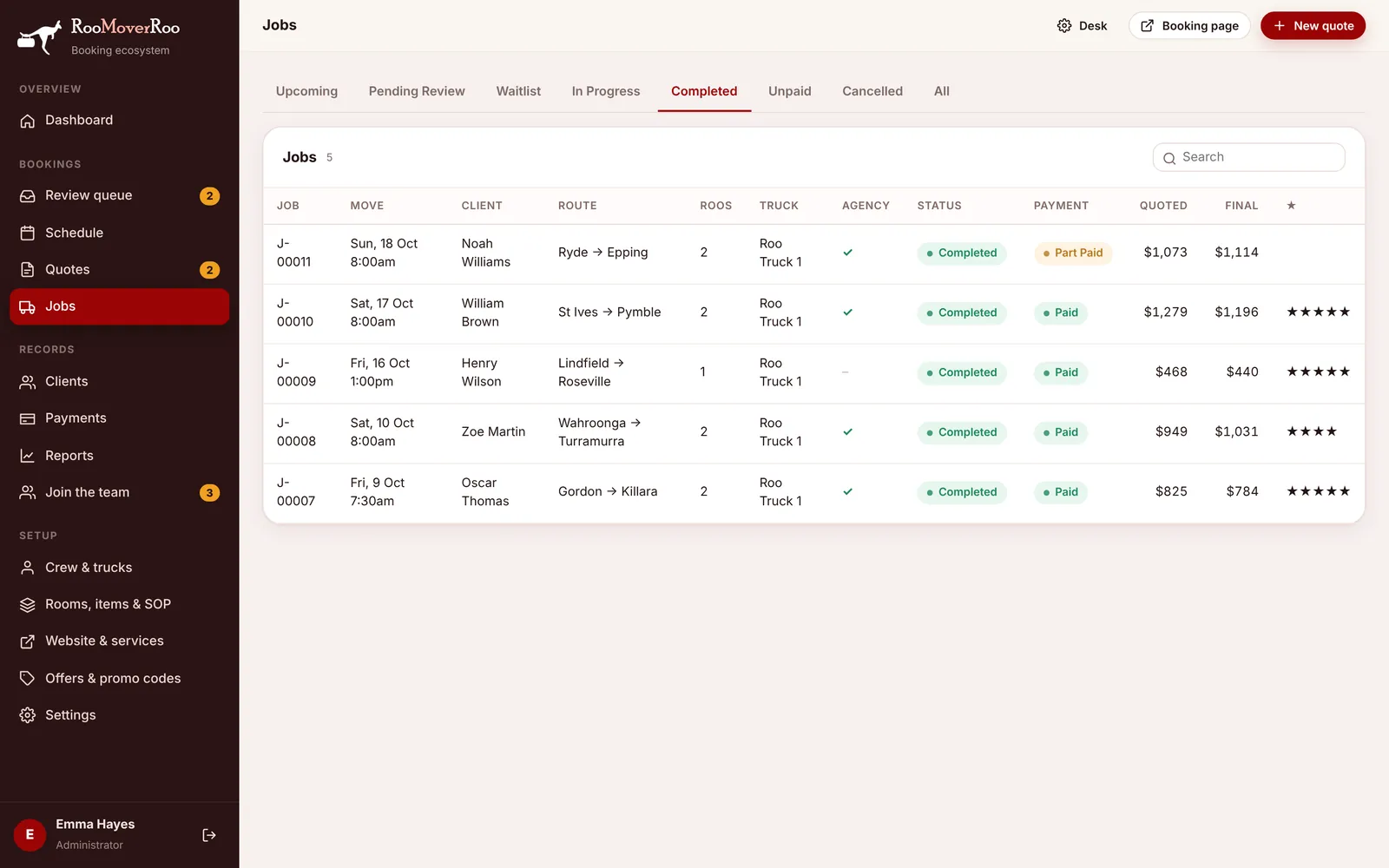
| Completed | Finished moves, with the final total and the client’s star rating. |
| Unpaid | Completed jobs that still have a balance owing. Use it to chase payments. |
| Cancelled | Cancelled jobs. |
| All | Everything. |
The columns are Job, Move (date and start time), Client, Route, Roos, Truck, Agency (a tick when agency staff are booked), Status, Payment, Quoted, Final and ★ (the feedback rating). Use the search box to find a job, and click any row to open its job record.
How a job moves through its statuses#
- Pending Review: the deposit is in and the office needs to check the job. Bookings made after the review deadline start as Waitlist instead.
- Confirmed: approved in the Review queue. The client is emailed a confirmation.
- Crew Booked: every crew member is confirmed and agency staff are marked as booked. This happens by itself.
- Job Sheet Sent: the job sheet has gone to the crew, two days before the move by default.
- In Progress: the crew pressed Arrived on their job sheet.
- Completed: the crew (or the office) pressed FINISH JOB and the final bill was worked out.
A job can be Cancelled at any point before it’s completed, and re-opened afterwards if needed.
Payment status#
The Payment column is worked out from the payments on the job:
- Unpaid: nothing paid yet.
- Deposit Paid: only the deposit is in.
- Part Paid: more than the deposit, but there’s still a balance.
- Paid: the job is completed and nothing is owing.
- Refunded: the money paid has been refunded.