
The client’s quote page
What clients see at their private quote link, and what they can do there.
Every quote has a private page the client can open from their quote email or from View my quote. It’s at /roo/q/… followed by a long code, works on any phone or computer, and doesn’t need a login. From here the client can pay their deposit, ask for a call, download the booking sheet and, once booked, cancel.
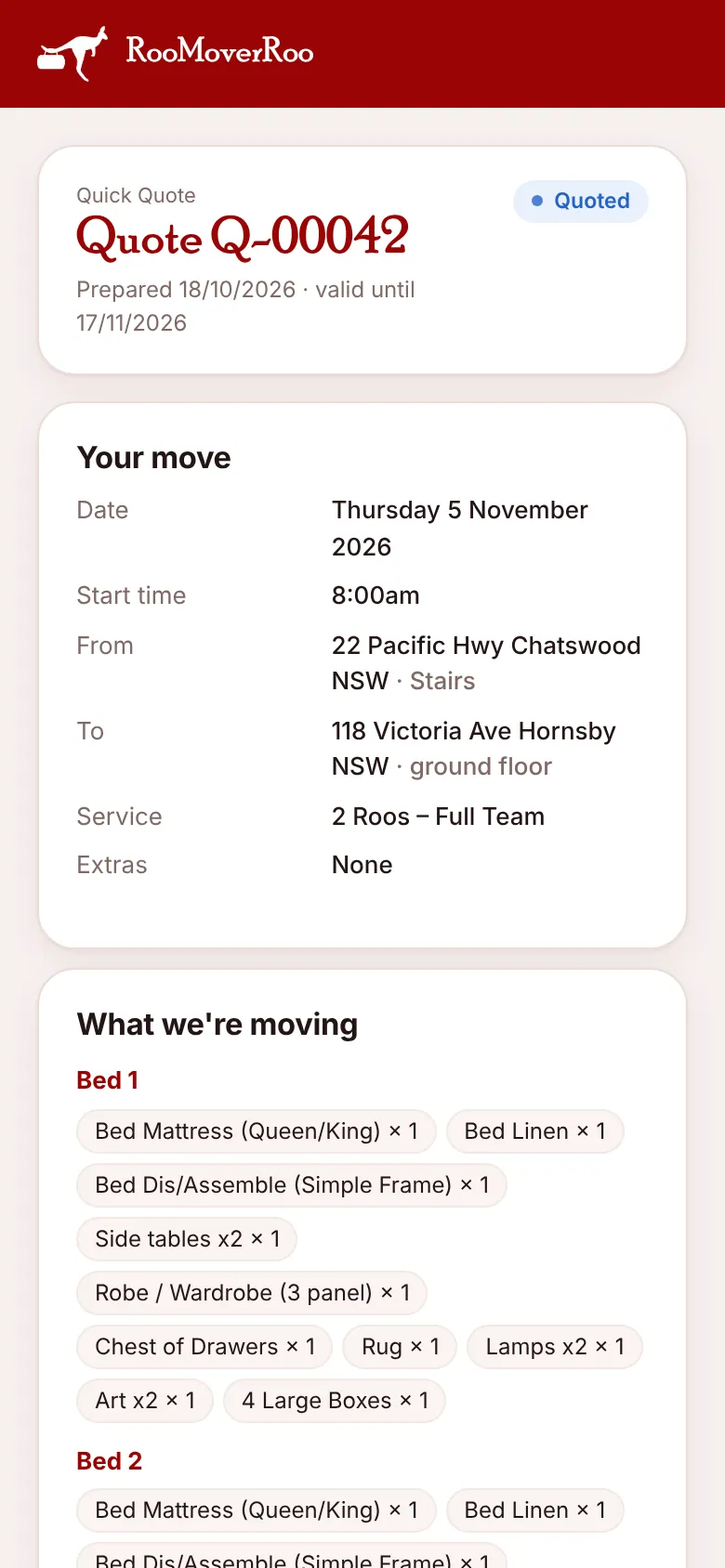
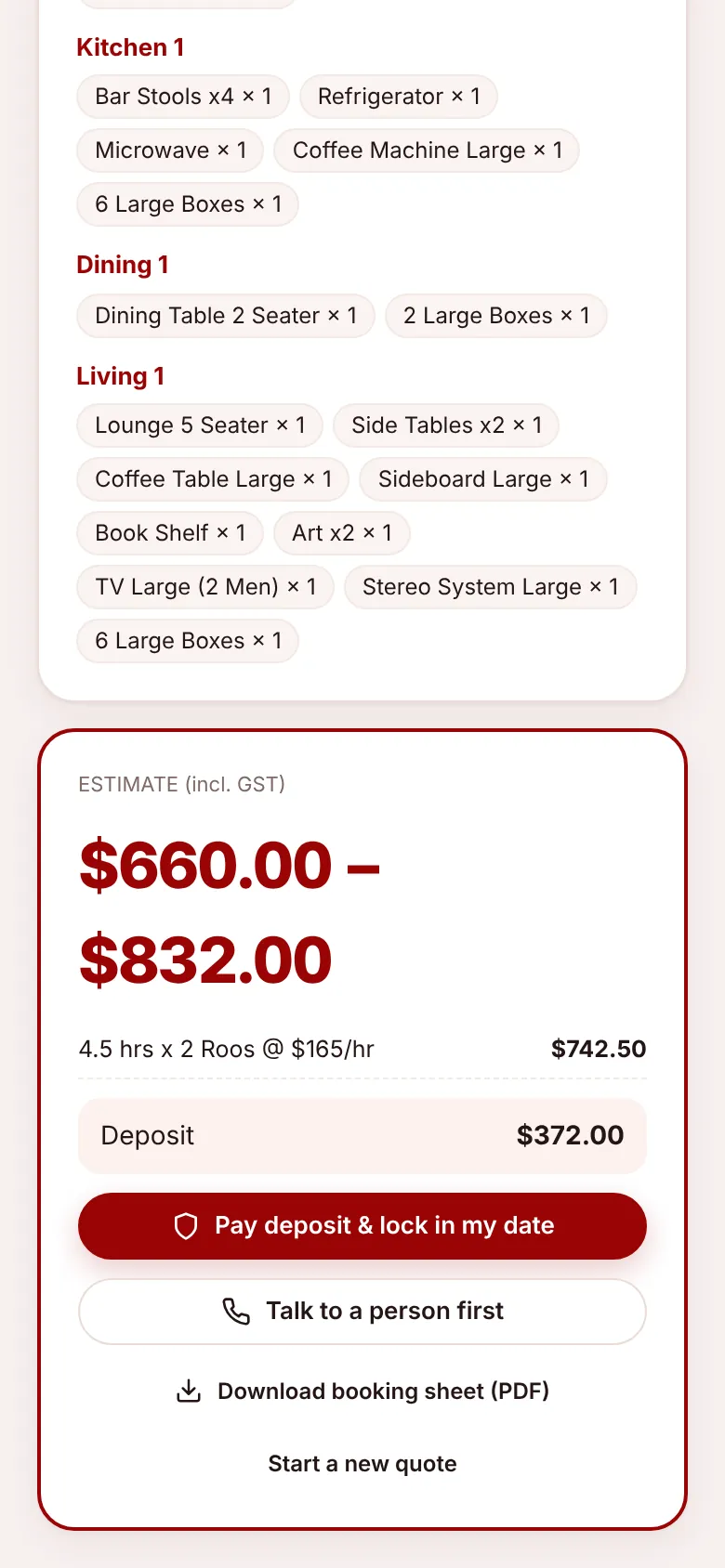
What’s on the page#
- The quote number, Quick or Full, the date it was prepared and the date it’s valid until.
- The status: the quote’s status, or once it’s booked, the job’s status (for example Confirmed).
- Your move: date, start time, from and to, the service and any extras.
- What we’re moving: the rooms and items.
- The estimate range (Quick) or total (Full), with the lines that make it up and the deposit.
What the client can do#
| Button | Shown when | Does |
|---|---|---|
| Pay deposit & lock in my date | No deposit yet, and the quote isn’t cancelled or expired | Opens Stripe to pay the deposit, or shows your bank details if Stripe is off. |
| Talk to a person first | As above, unless they’ve already asked | Marks the quote Awaiting Call and alerts the office. The page then says “We’ll call you on … shortly.” |
| Download booking sheet (PDF) | Always | The quote as a PDF to keep. |
| Cancel my booking | Once it’s a job that hasn’t started, finished or been cancelled | Cancels the booking. See below. |
| Start a new quote | Before it’s booked | Opens a new Full Quote on the booking form. |
After a deposit is paid, the payment buttons are replaced with “Deposit paid” and the amount.
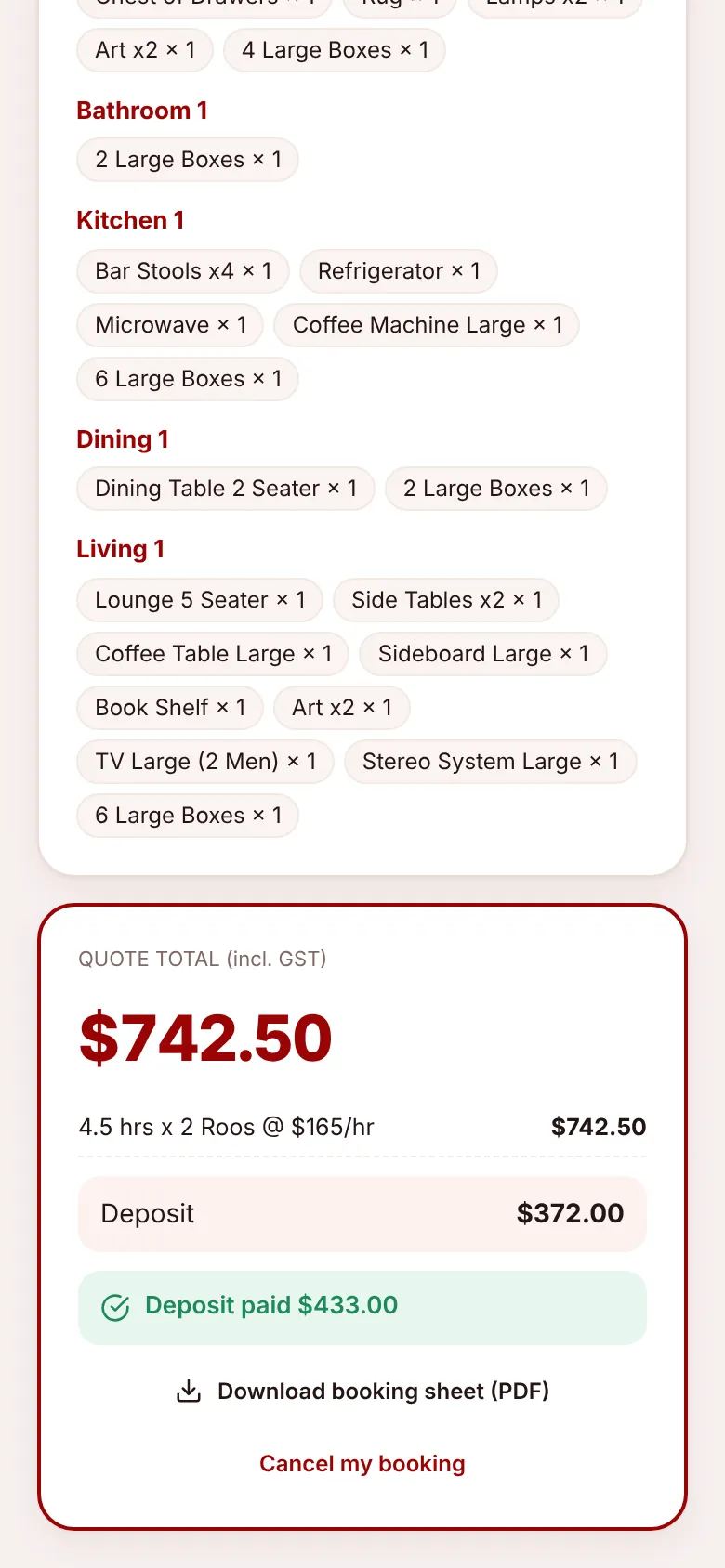
Cancelling from the quote page#
Cancel my booking opens a window explaining: “Cancellations more than 48 hours before your start time get the deposit back in full. Inside 48 hours the deposit is retained.” (The number follows your free-cancellation setting.) The client can add a reason, then choose Cancel booking or Keep booking.
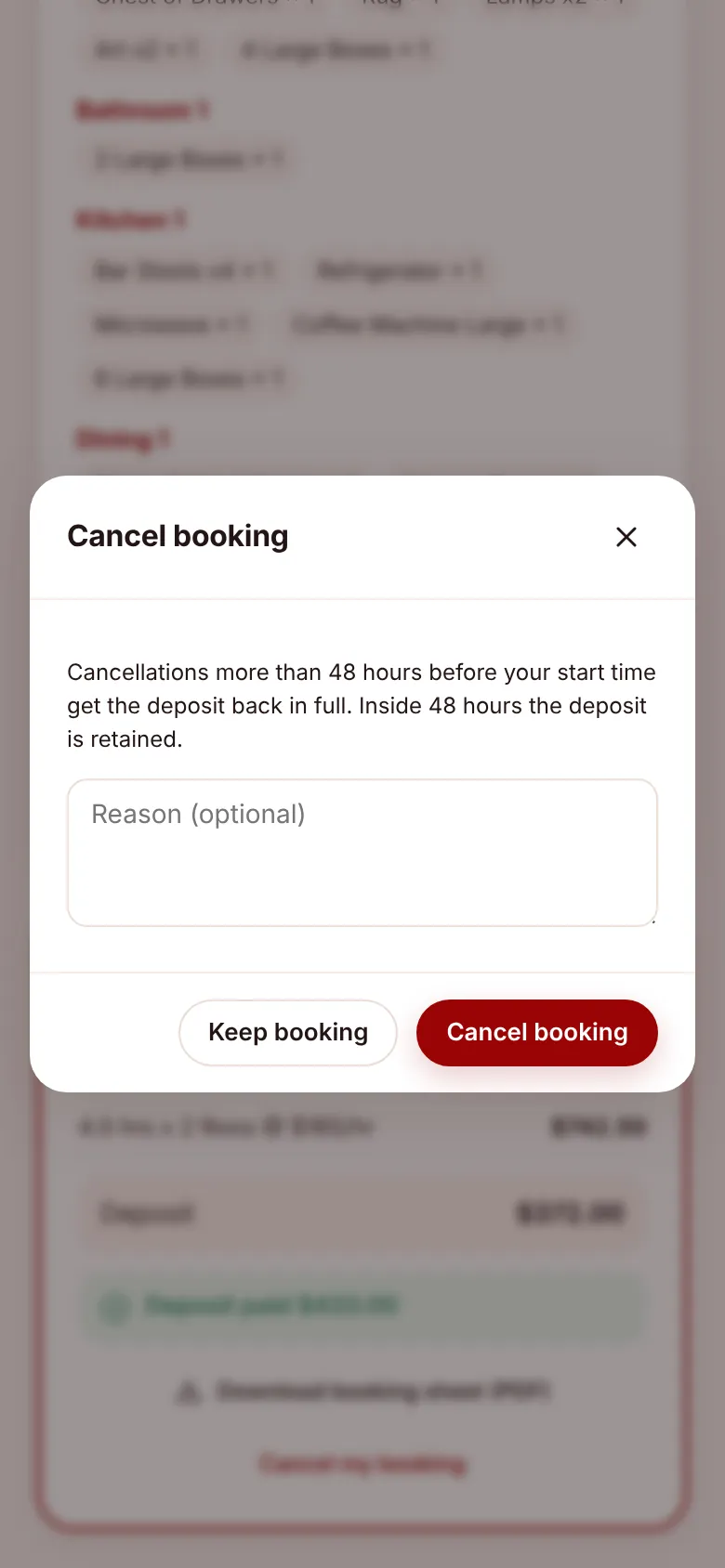
See Cancellations and refunds for what happens next.
Sharing the link#
From the office you can copy a client’s link with Copy quote / payment link on the quote, for example to send it by text after a phone call. Anyone with the link can see the quote and pay, so only send it to the client.