
Payments
Deposits, balances and refunds in one list, and where to record a payment taken by hand.
Payments at /roo/payments is a list of every payment record: deposits, balances, refunds and anything else, however it was paid. Use it to check what came in, find a Stripe payment or see what has gone to Xero.
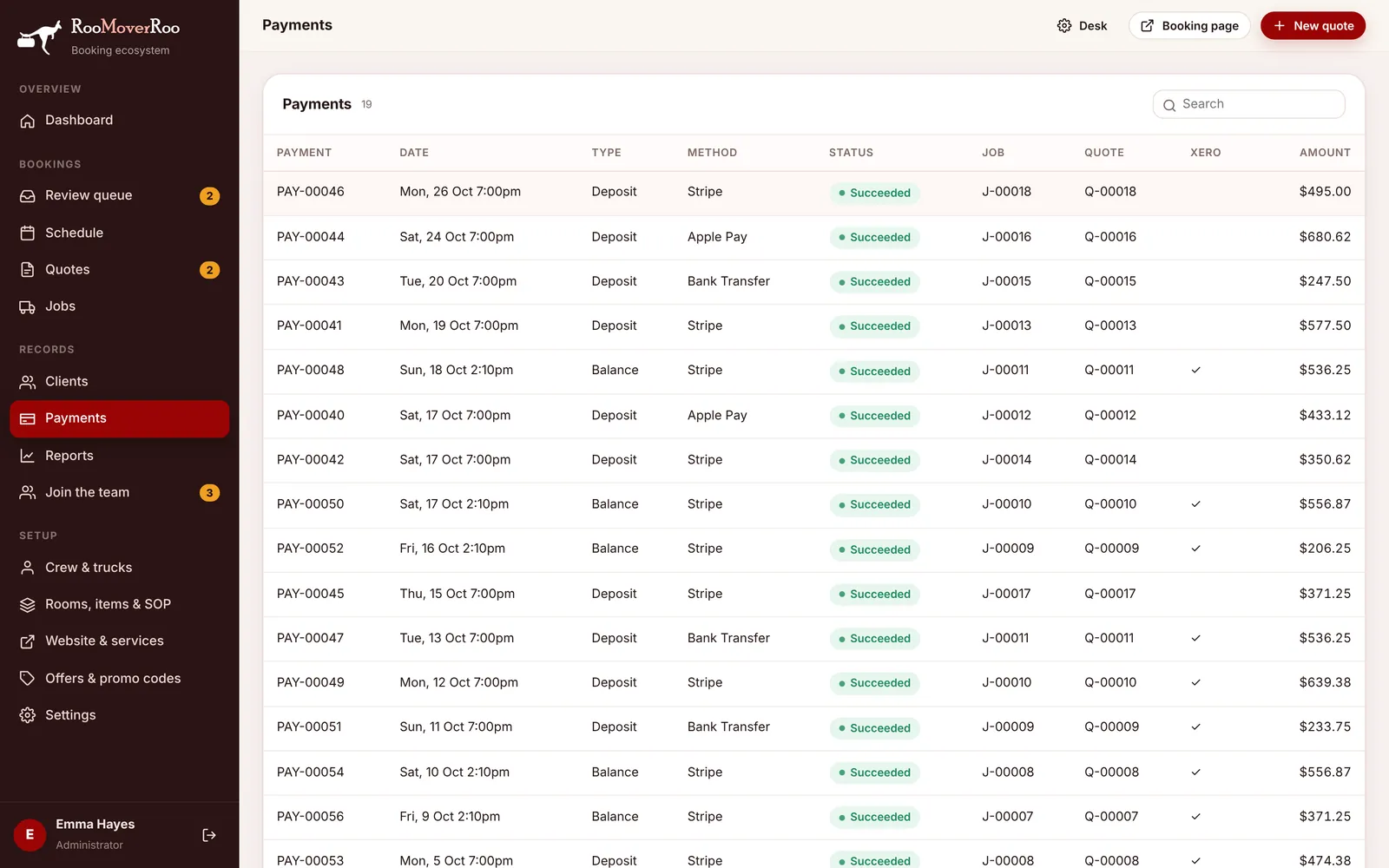
Columns#
| Column | Meaning |
|---|---|
| Payment | The payment number. |
| Date | When it was paid. |
| Type | Deposit, Balance, Refund or Other. |
| Method | Stripe, Apple Pay, Bank Transfer, Cash or Card (manual). |
| Status | Pending, Succeeded, Failed or Refunded. Only succeeded payments count towards a job. |
| Job / Quote | The job and quote it belongs to. |
| Xero | A tick once the payment has been applied to the invoice in Xero. |
| Amount | The amount, GST included. Refunds show as negative amounts. |
Click a payment to open its job, or its quote if it doesn’t have a job yet.
Where payments come from#
- Deposits are recorded automatically when a client pays through Stripe.
- Balances are recorded automatically when the saved card is charged after the move, or when the client pays the balance link.
- Refunds are recorded when a job is cancelled in time, or when an admin refunds a payment from the job’s Billing tab.
- Manual payments (bank transfer, cash, card machine) are recorded from the job’s Billing tab with Record payment.
Recording, refunding and charging all happen on the job, not on this screen. See The job record.