Start-of-day sheet
The truck check every driver completes before the first job.
The start-of-day sheet is the driver’s truck check before the first job. There’s one for each truck on each day with moves. It lists the checks to tick, asks where the truck is parked and the odometer reading, and links to every job that day.
Getting the link#
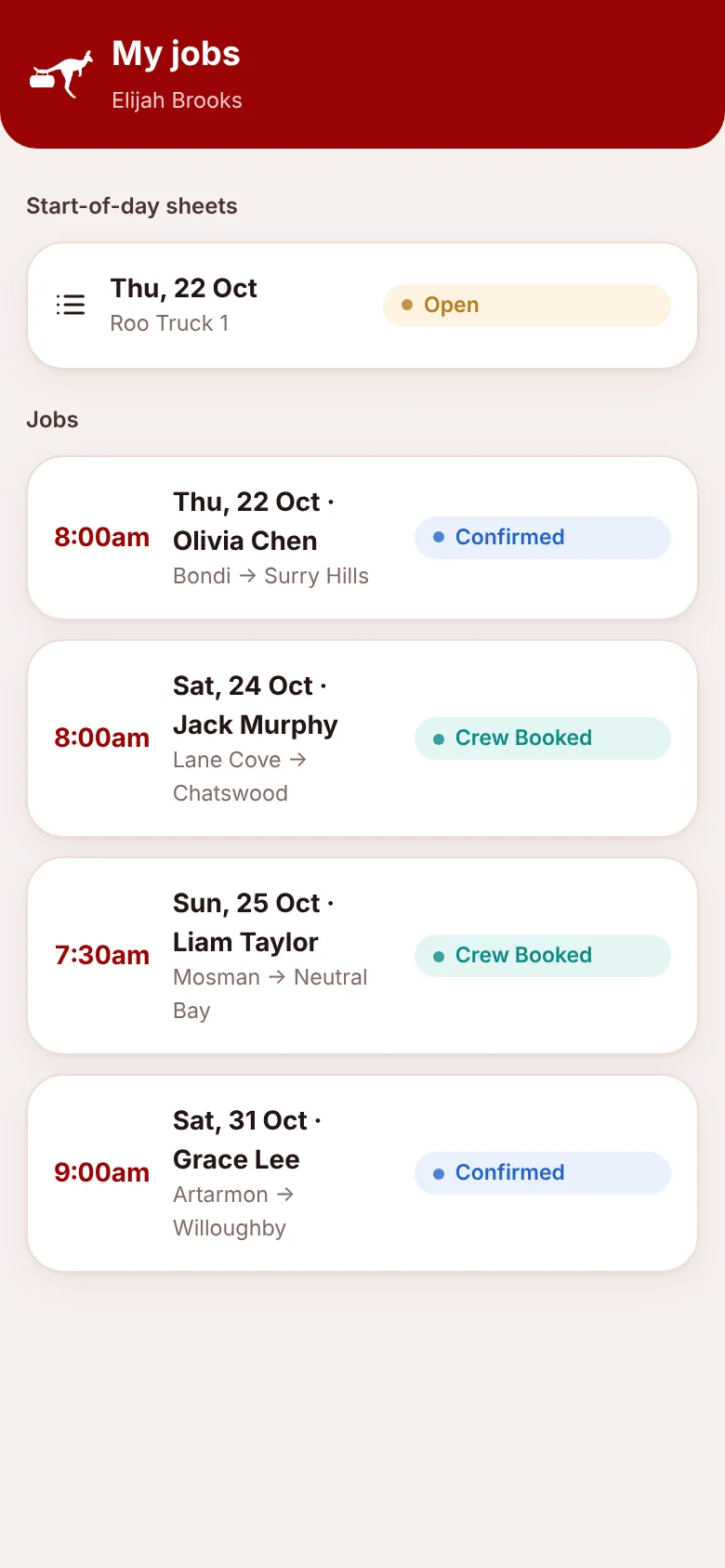
The sheets are made automatically each day for today and tomorrow. The office copies the link from the Schedule and sends it to the driver. If you have a crew login, the sheet also appears on your My jobs page at /roo.
Do the checks#
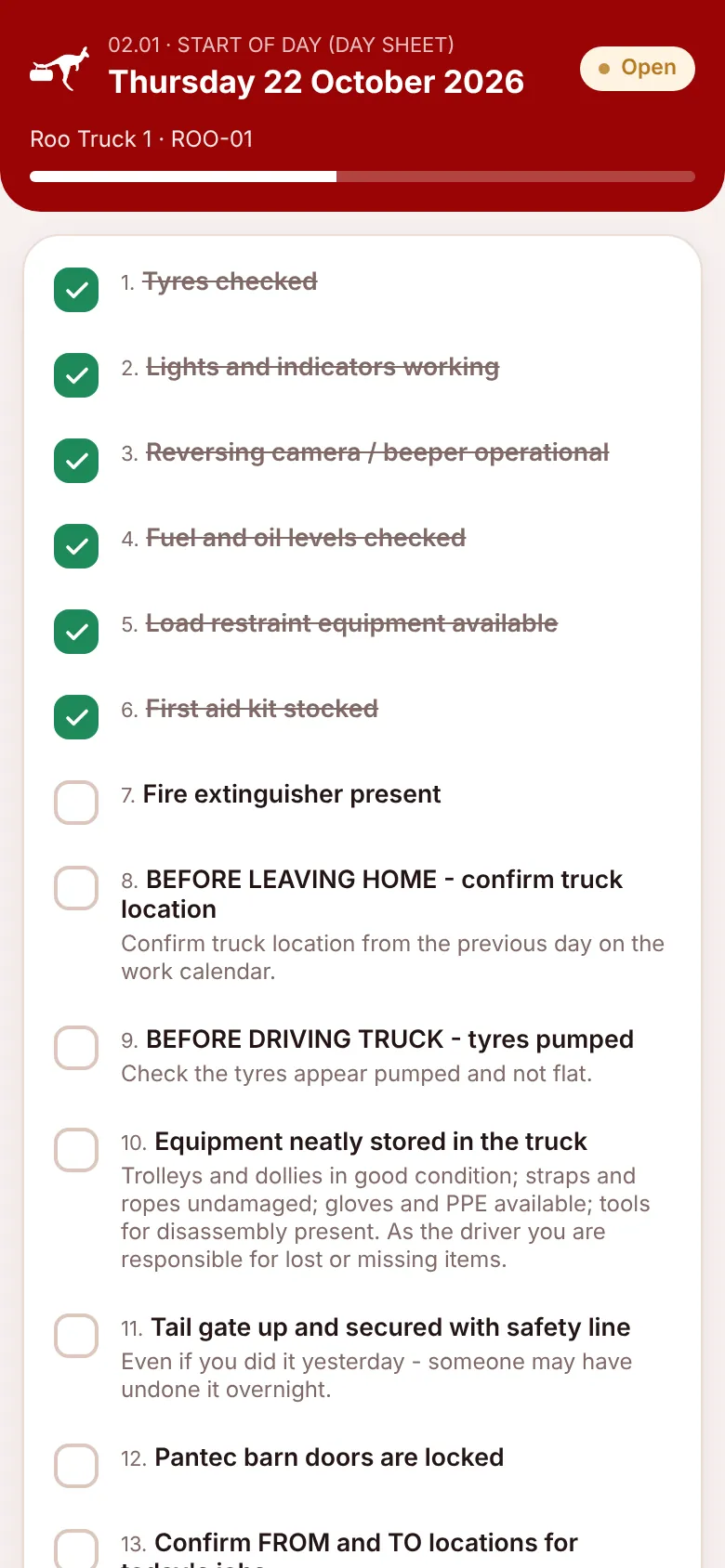
- Open the link. The header shows “02.01 · START OF DAY (DAY SHEET)”, the date, the truck and its rego.
- Tick each check as you do it. Tap again to untick. The progress bar fills up.
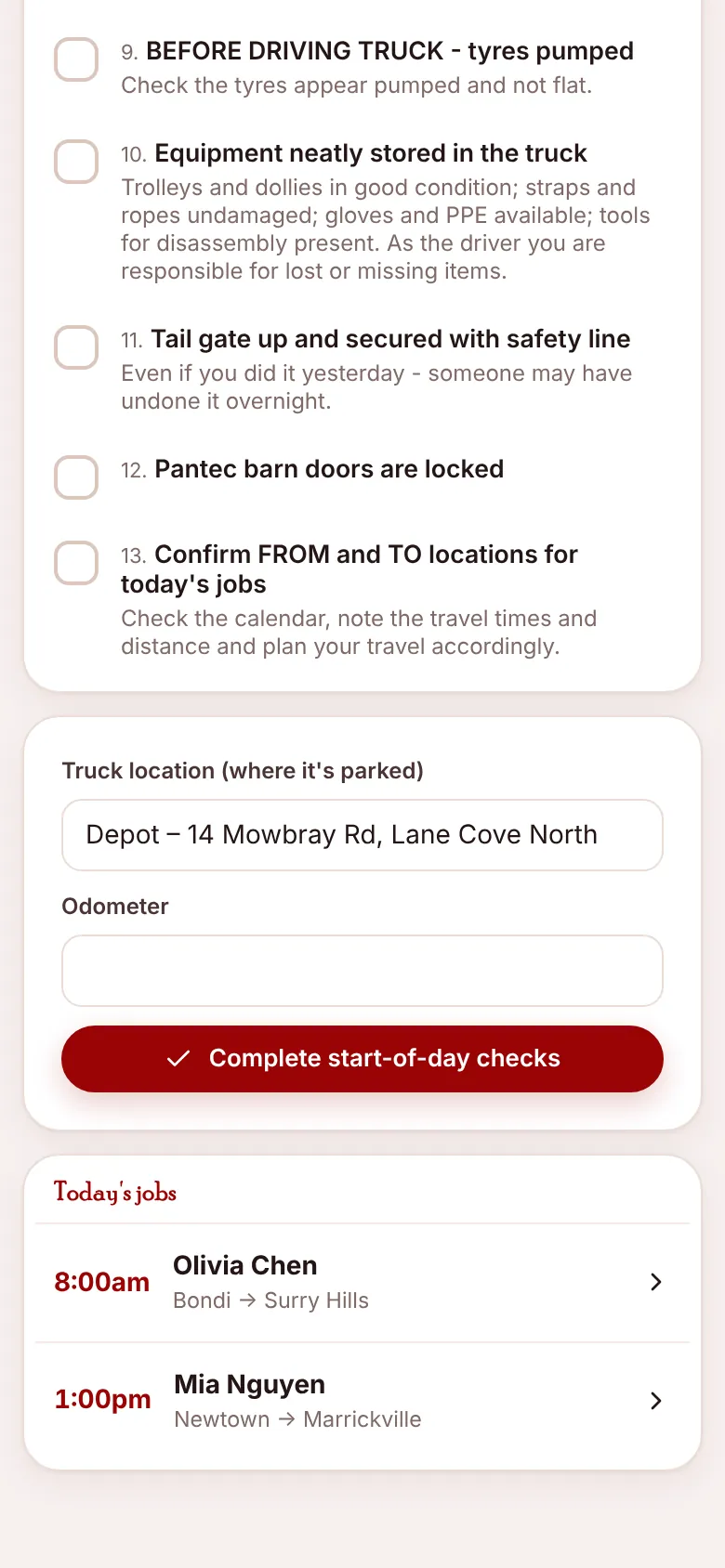
- Enter the truck location (where it’s parked) and the odometer reading.
- Press Complete start-of-day checks. You’ll see “Start-of-day sheet completed – drive safe!” and the sheet changes to Completed.
The truck location you enter is saved on the truck, so the office can see where it’s parked.
Today’s jobs#
At the bottom, Today’s jobs lists every move for the day with its start time, client and suburbs. Tap one to open its job sheet. Cancelled and waitlisted jobs aren’t shown.
My jobs (crew login)#
If the office has given you a login with the Roo Crew role, signing in at /roo shows My jobs: your start-of-day sheets and your upcoming jobs, each linking to its sheet. A login is optional. The links work without one.