
Rooms and items
The room types and item catalogue behind every quote.
Every price RooMoverRoo gives comes from the catalogue under Rooms, items & SOP. Rooms are what clients pick on the booking form. Items are what’s in each room, with how long each takes to move and how much truck space it needs. Get these numbers right and every quote is right.
The screen has four tabs: Items & handling times, Rooms, SOP checklists and Price-check standards. This article covers the first two. See SOP checklist steps and Price standards for the others.
How the catalogue makes a price#
- The client picks rooms and a size, for example 2 Bedrooms (Large) and a Kitchen (Small).
- For each room, every active item in the room’s category is added with its default quantity for that size, unless the item is limited to other rooms.
- Each item’s handling minutes and truck volume are added up. Minutes are adjusted for stairs or lifts and for packing and unpacking, then divided by the crew’s work speed, and travel is added.
- The hours are rounded up to the quarter hour, the minimum is applied, and the hourly rate does the rest. The total volume decides how many truck trips are needed.
In a Full Quote the client can change quantities and add or remove items, so the item list is theirs, but the minutes and volumes still come from here. The full calculation is in How prices are worked out.
Items and handling times#
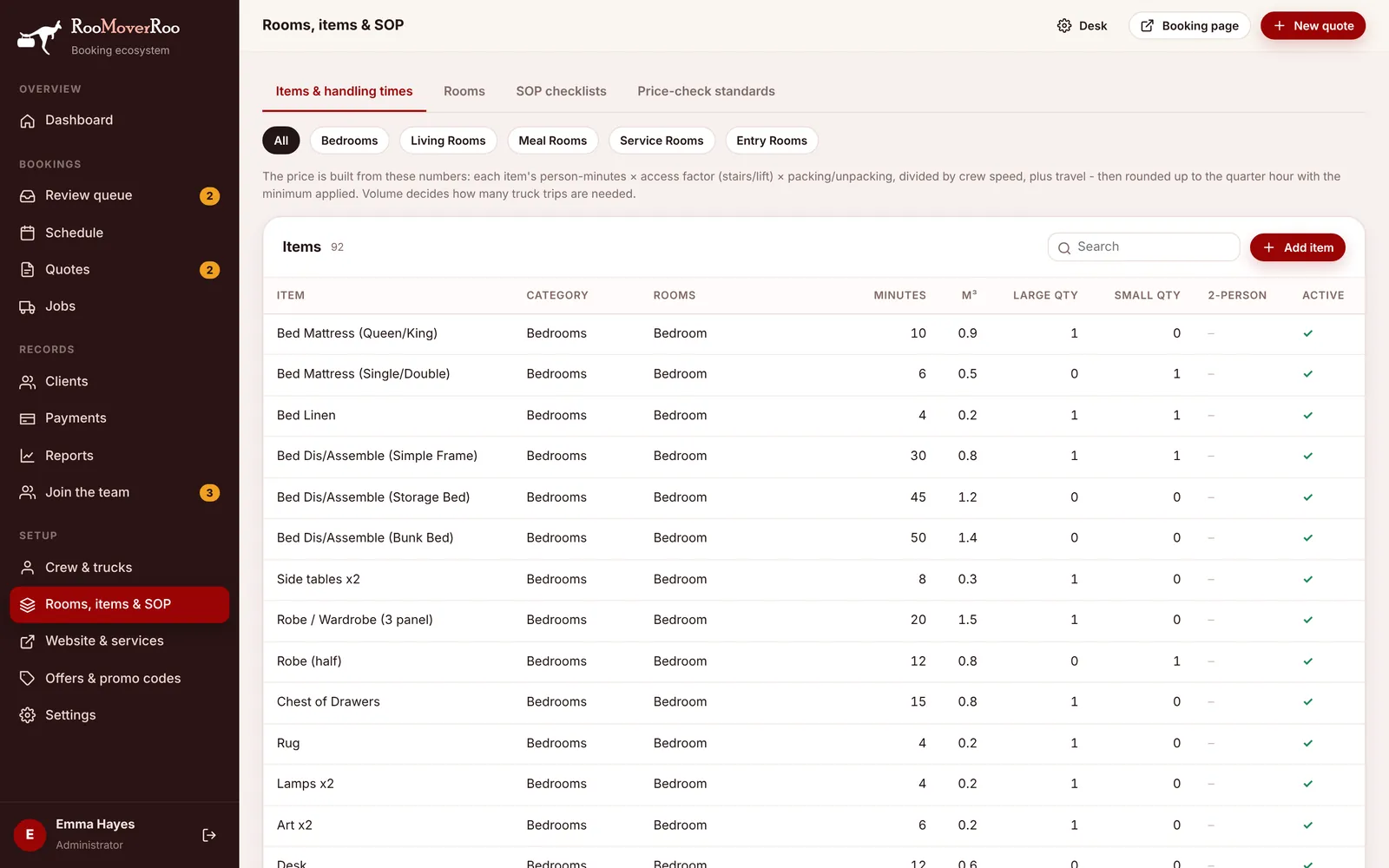
Use the category chips (All, Bedrooms, Living Rooms, Meal Rooms, Service Rooms, Entry Rooms) or the search box to find an item. Click a row to edit it, or choose Add item.
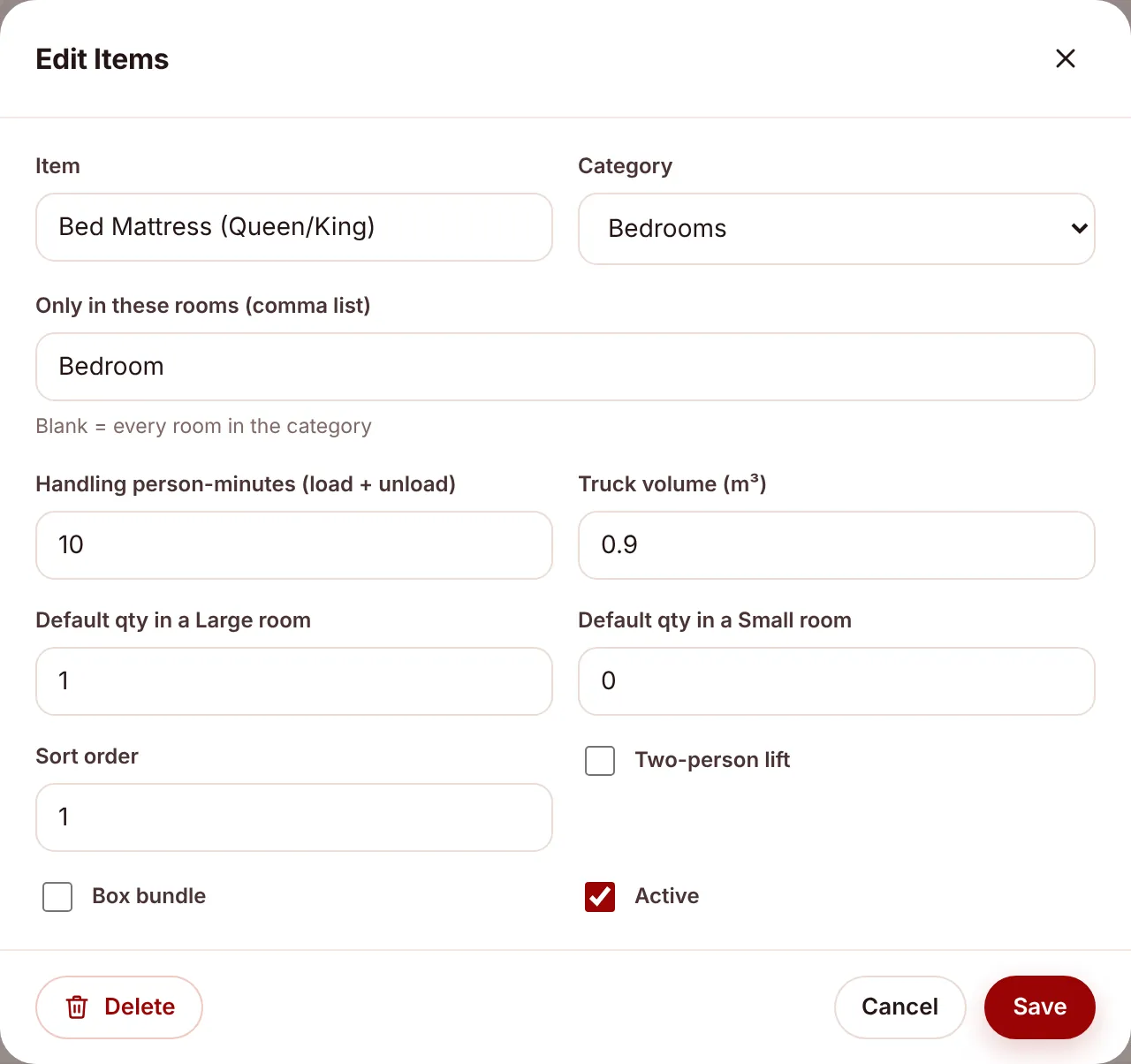
| Field | What it does |
|---|---|
| Item | The name shown on quotes, the job sheet and the PDF. |
| Category | Which group of rooms the item belongs to. An item is only added to rooms of the same category. |
| Only in these rooms (comma list) | Limit the item to certain rooms, for example Kitchen for a refrigerator or Living,Family for a large sideboard. Blank means every room in the category. |
| Handling person-minutes (load + unload) | How long one person takes to load and unload it. Two people halve the clock time, which is what work speed accounts for. |
| Truck volume (m³) | The space it takes in the truck. Adds up to decide truck trips. |
| Default qty in a Large room | How many a Large room of the right type gets in a Quick Quote. 0 leaves it out. |
| Default qty in a Small room | The same for a Small room. |
| Sort order | Order within the category. |
| Two-person lift | Marks items that need two people, such as a fridge or washing machine. |
| Box bundle | Marks the “Large Boxes” bundles (2, 4, 6 or 8 boxes) rather than furniture. |
| Active | Inactive items are never added to new quotes. |
Rooms#
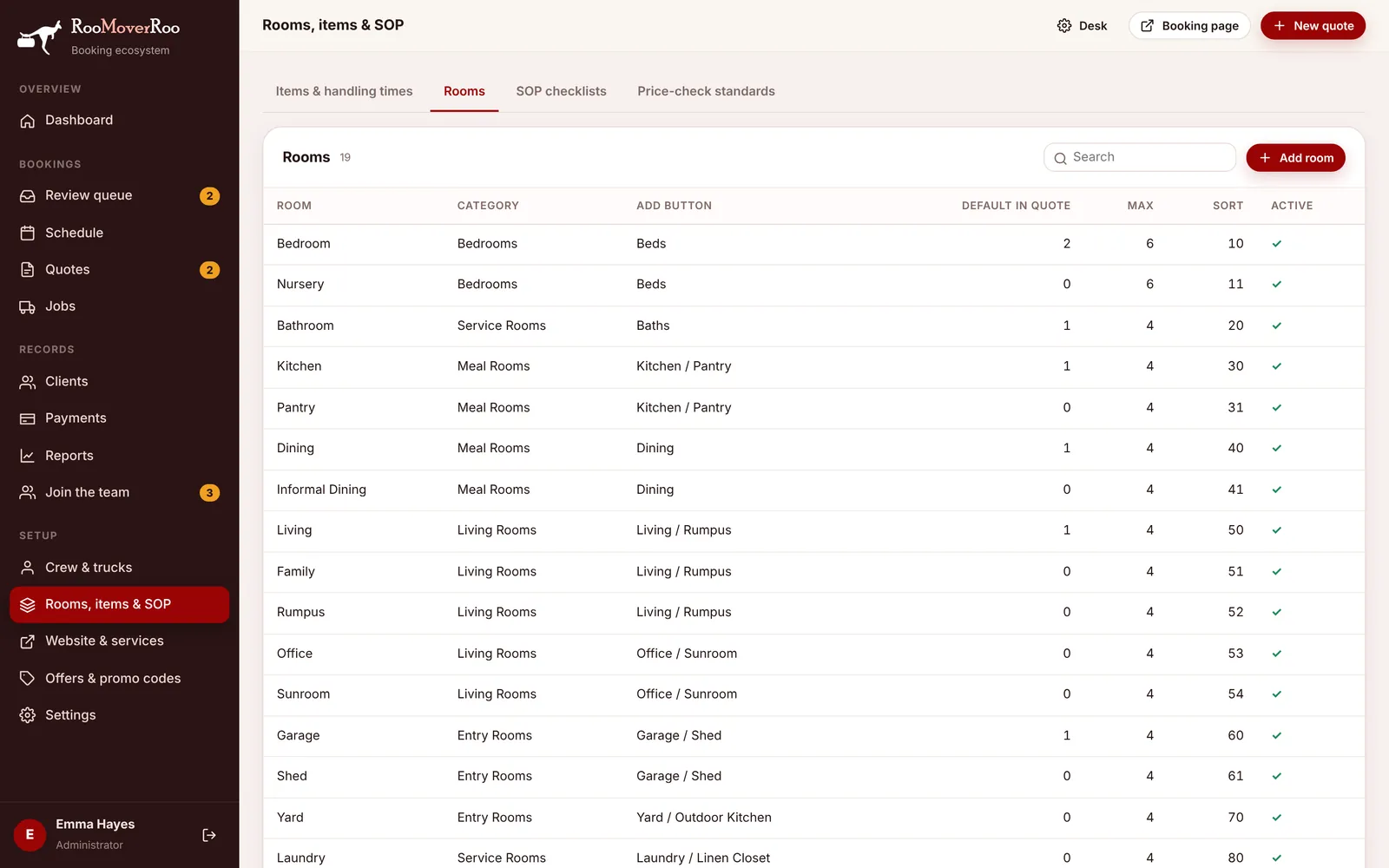
Rooms are the tiles on the booking form. Each room has a category, which decides which items it gets. Rooms with the same add-button label are grouped under one button on the form, for example Bedroom and Nursery under “Beds”.
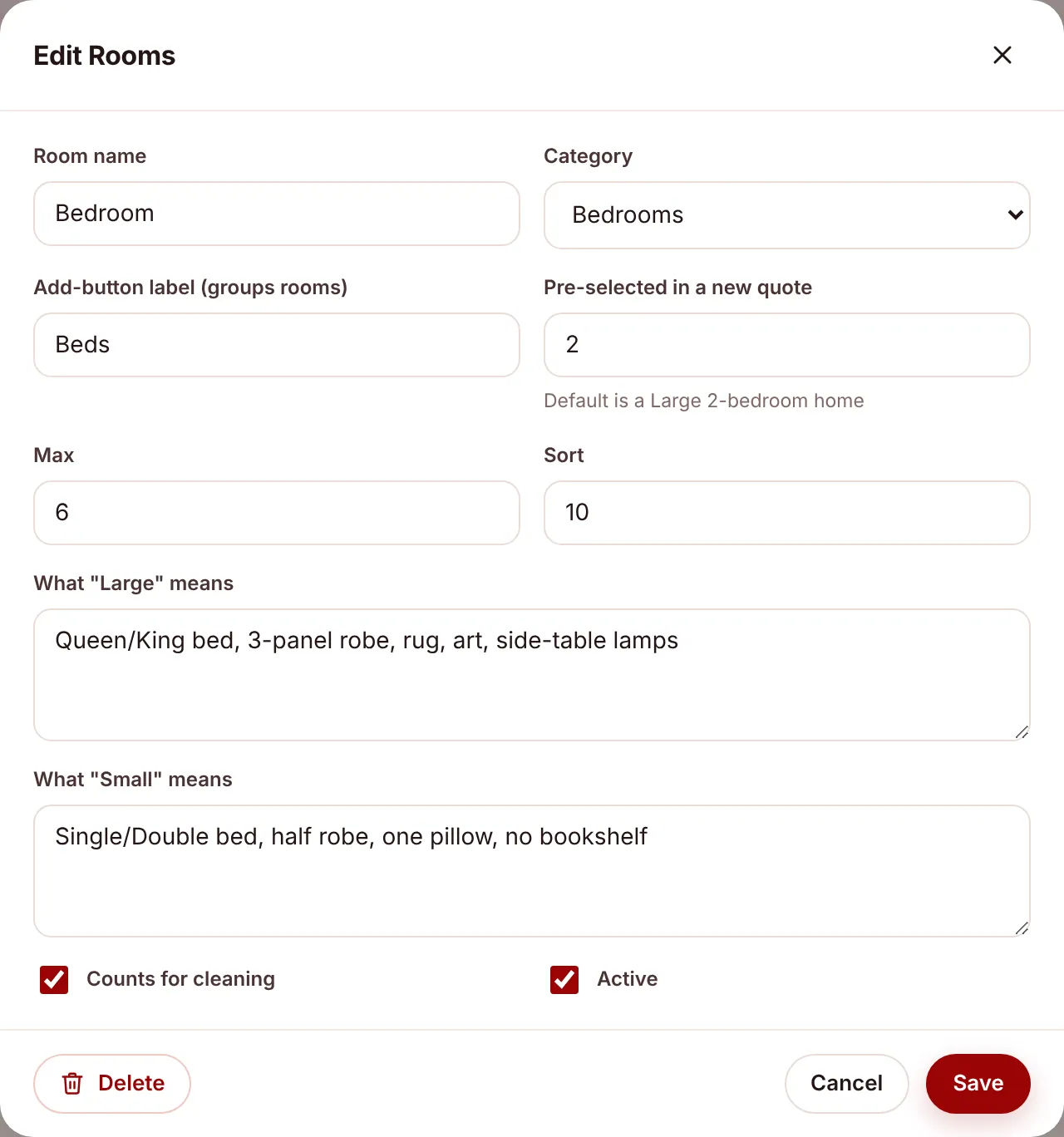
| Field | What it does |
|---|---|
| Room name | For example Bedroom, Kitchen, Garage. Can’t be changed once saved. |
| Category | Bedrooms, Living Rooms, Meal Rooms, Service Rooms or Entry Rooms. |
| Add-button label (groups rooms) | The button the room sits under on the booking form, for example “Kitchen / Pantry”. |
| Pre-selected in a new quote | How many of this room a new quote starts with. Out of the box a new quote starts as a Large 2-bedroom home: 2 bedrooms, a bathroom, kitchen, dining, living and garage. |
| Max | The most a client can add. |
| Sort | Order on the form. |
| What “Large” means / What “Small” means | Short descriptions shown to the client so they pick the right size, for example “Queen/King bed, 3-panel robe, rug” for a Large bedroom. |
| Counts for cleaning | Whether the room is charged when the client adds cleaning (the cleaning price per room is in Settings). |
| Active | Inactive rooms don’t appear on the booking form. |
What comes installed#
The app is installed with 19 room types (Bedroom, Nursery, Bathroom, Kitchen, Pantry, Dining, Informal Dining, Living, Family, Rumpus, Office, Sunroom, Garage, Shed, Yard, Laundry, Linen, Vestibule and Other) and about 70 items with their minutes and volumes, plus box bundles for each category. Change them to match how your crew really works.
Only Roo Admin users can change rooms and items. Saved changes are used by the next quote straight away.