
SOP checklist steps
The standard operating procedure the crew ticks off on every job.
The SOP (standard operating procedure) is the checklist the crew tick off on their phone. You keep the steps on the SOP checklists tab of Rooms, items & SOP, and the app copies them onto each truck’s start-of-day sheet and each job sheet.
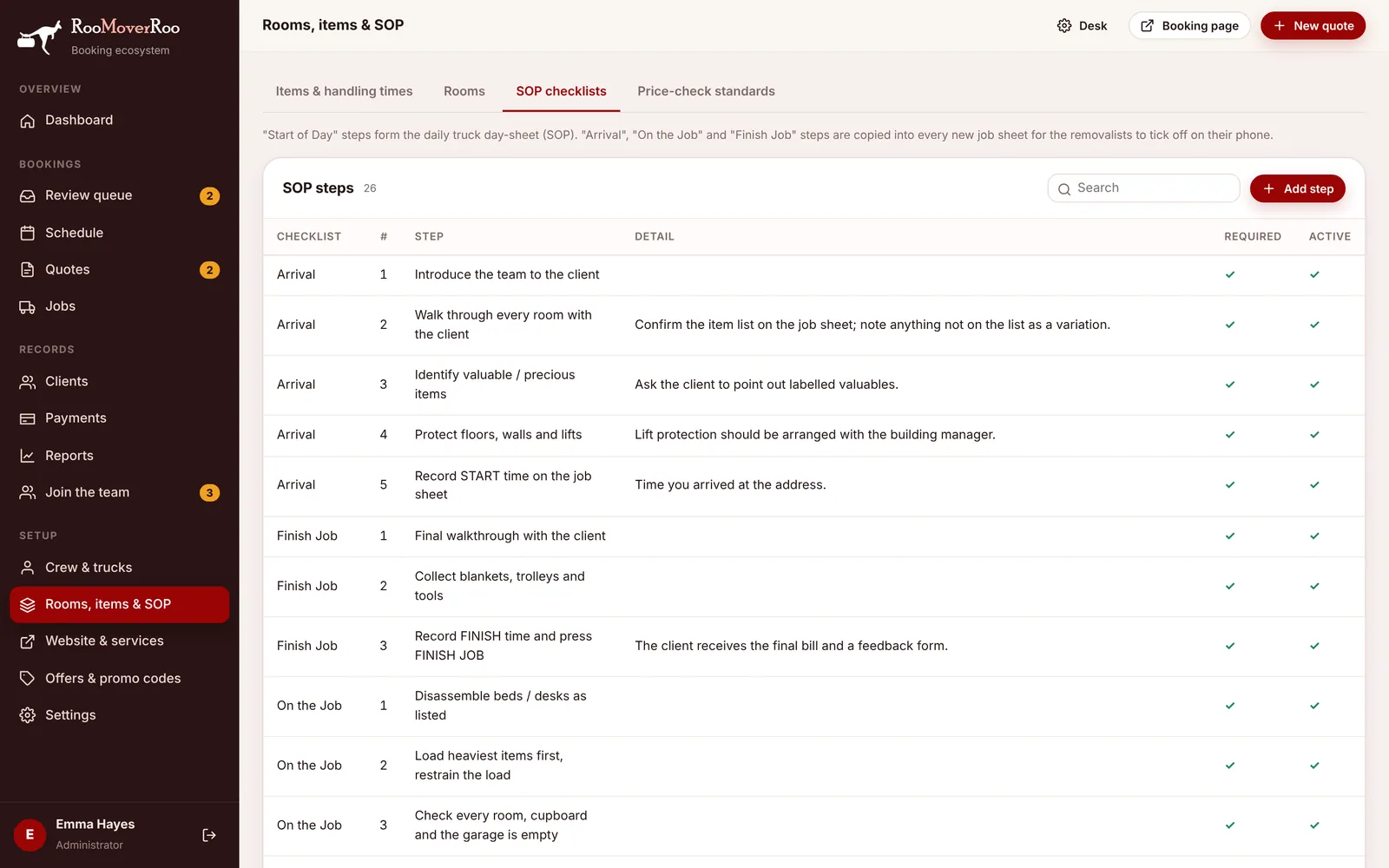
The four checklists#
| Checklist | Where it appears | When |
|---|---|---|
| Start of Day | The start-of-day sheet, one per truck per day. | Before the truck leaves: tyres, lights, fuel, equipment, tail gate, today’s locations. |
| Arrival | The crew job sheet. | On arrival: introductions, the walkthrough, valuables, floor and lift protection, recording the start time. |
| On the Job | The crew job sheet. | While moving: disassembly, loading, empty-room checks, placing and reassembly. |
| Finish Job | The crew job sheet. | At the end: the final walkthrough, collecting gear, recording the finish time and pressing FINISH JOB. |
Adding or changing a step#
- Open Rooms, items & SOP and choose the SOP checklists tab.
- Choose Add step, or click an existing step to edit it.
- Pick the Checklist and give it a Step no.. Steps are shown in step-number order within each checklist.
- Write the Step as a short instruction the crew can tick, and put any explanation in Detail. The detail shows in smaller text under the step on the phone.
- Tick Required for steps that must be done, and keep Active ticked. Untick Active to retire a step without deleting it.
- Save.
What comes installed#
The app starts with the RooMoverRoo SOP: 13 start-of-day truck checks (including “Tyres checked”, “Fire extinguisher present” and “Tail gate up and secured with safety line”), 5 arrival steps, 5 on-the-job steps and 3 finish steps. Edit them to match how your crew work.
The office can see how far the crew have got from the Crew & truck tab of the job record, which shows SOP progress as steps done out of the total.