
Offers on the website
Choose which promo codes appear as offer cards, and how they read.
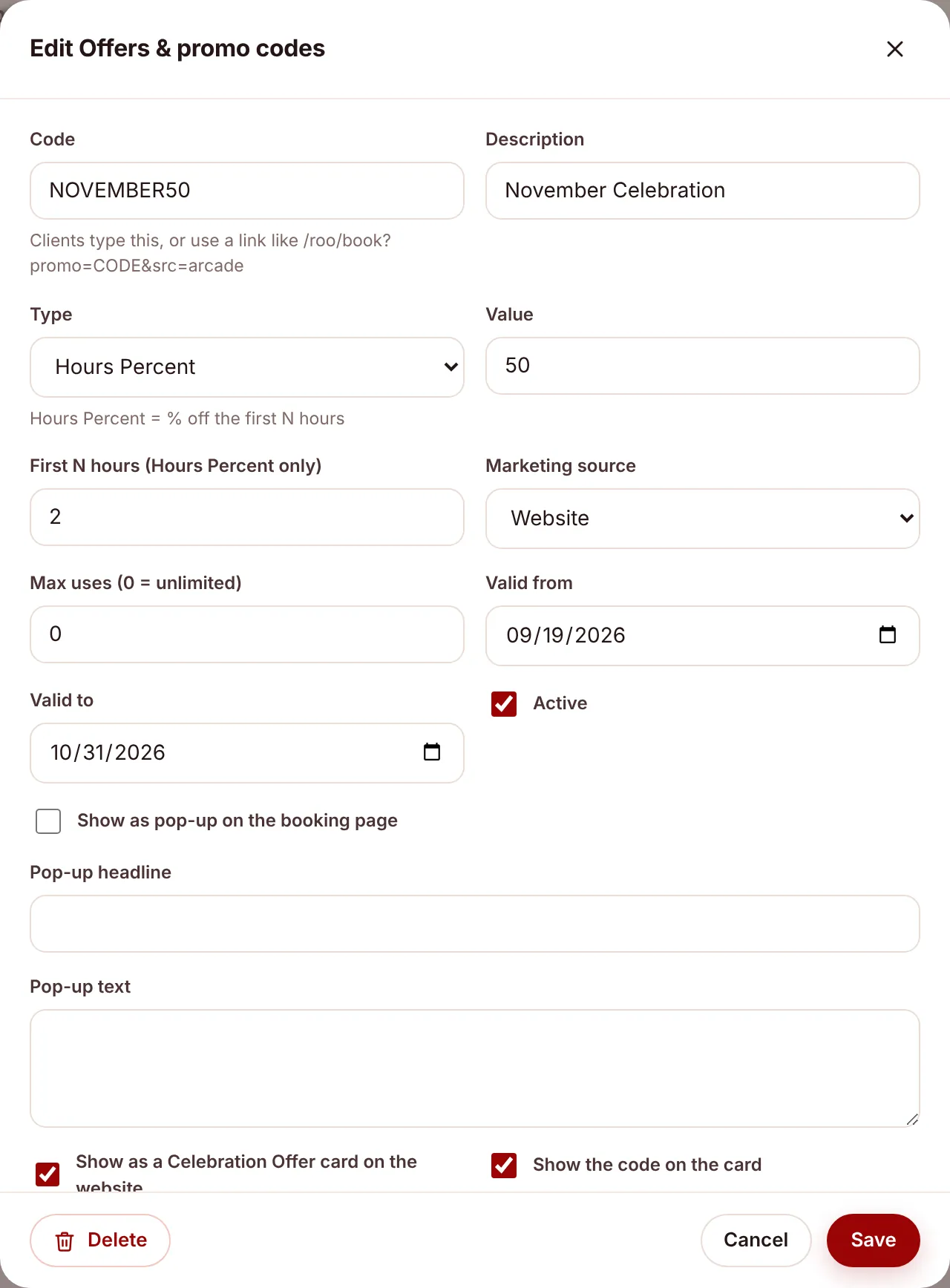
The Celebration Offers on the website are promo codes from the app, shown as offer cards. Each card has a button that opens the booking form with the code already applied. You choose which codes appear and write the card’s wording on the code itself.
Put an offer on the website#
- Open
/roo/promosand click the code, or press New code. Setting up the discount itself is covered in Offers and promo codes. - Tick Show as a Celebration Offer card on the website.
- Write the card: Card title (e.g. 50% Off), Card subtitle (e.g. November Celebration), Card text, Small print and Button label.
- Tick Show the code on the card if visitors should see the code itself. Either way, the button applies it.
- Set Card order to choose where it sits. Lower numbers come first.
- Save. The website shows the card within about 5 minutes.
If you leave the card fields blank#
| Field | What the website shows instead |
|---|---|
| Card title | The discount, such as “10% Off” or “$50 Off”. |
| Card subtitle | The code’s description. |
| Card text | A summary of the discount, such as “50% off your first 2 hours”. |
| Small print | “*Terms and Conditions Apply.” |
| Button label | “Claim offer”. |
When an offer disappears by itself#
A card only shows while its code is usable. It drops off the website when:
- the code is no longer Active,
- it’s before Valid from or after Valid to, or
- it has reached Max uses.
So you can set up next month’s offer early, with a Valid from date, and it appears on the day.
Check what’s live#
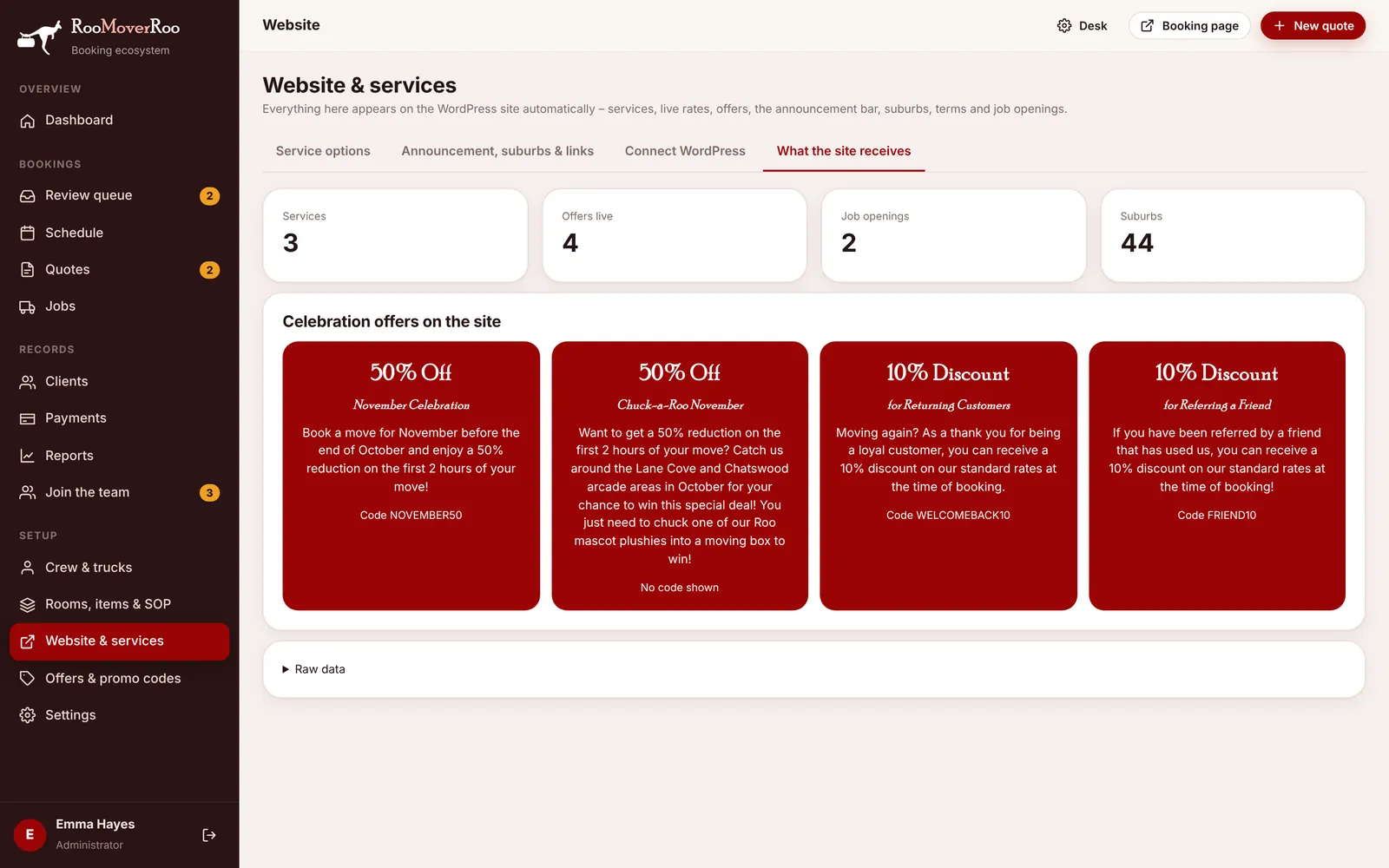
The What the site receives tab on /roo/website shows “Offers live” and each card as the website will show it.
Offer links elsewhere#
The card’s button is a link like /roo/book?promo=NOVEMBER50&src=website-offer. You can make your own for flyers, QR codes or social posts, such as /roo/book?promo=ARCADE10&src=arcade. The src part records where the client came from.