
Stripe payments
Deposits, saved cards, balance charges, refunds and the webhook.
Stripe takes the deposit when a client books, keeps that card on file for the balance, and refunds deposits automatically when a job is cancelled in time. Stripe Checkout shows Apple Pay and Google Pay by itself on devices that support them.
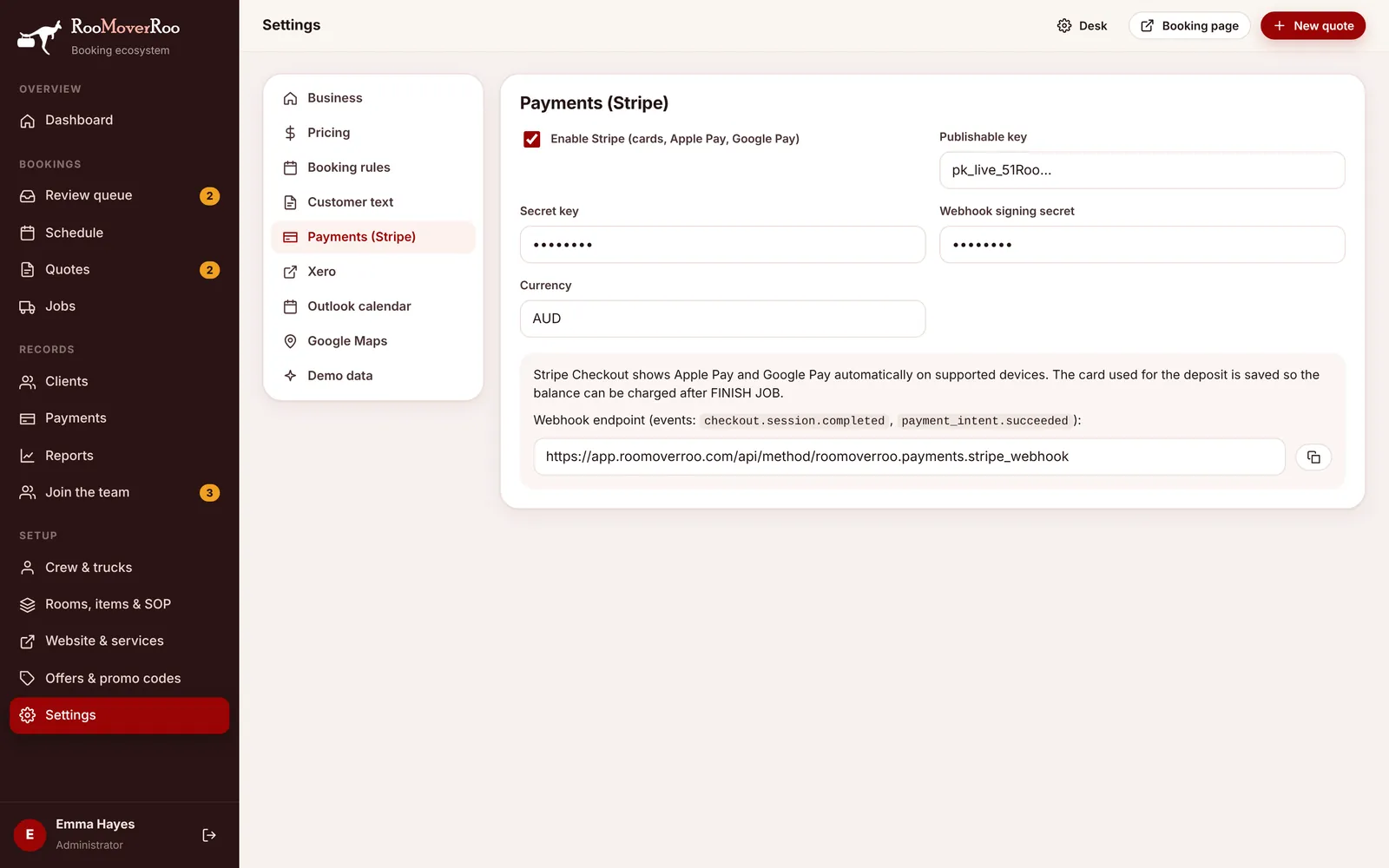
Connect Stripe#
- Get your keys. In the Stripe dashboard, go to Developers, then API keys, and copy the publishable key and the secret key. Use the test keys first if you want to try it out.
- Enter them in the app. Open
/roo/settings, choose Payments (Stripe), tick Enable Stripe (cards, Apple Pay, Google Pay) and paste the Publishable key and Secret key. Leave Currency as AUD. - Add the webhook. The same tab shows the webhook address. In Stripe, go to Developers, then Webhooks, add an endpoint with that address and choose the events
checkout.session.completedandpayment_intent.succeeded. - Paste the signing secret. Stripe shows a signing secret for the new endpoint (it starts with
whsec_). Paste it into Webhook signing secret and choose Save settings. - Turn on Apple Pay. In Stripe, under Settings, Payment methods, Apple Pay, register the domain your app runs on.
The webhook address is your site followed by /api/method/roomoverroo.payments.stripe_webhook.
What happens with payments#
Deposit#
When the client chooses to pay, they go to a Stripe Checkout page for the deposit (50% of the quote by default, at least $100). When it succeeds the app records the payment, turns the quote into a job and emails the client and the office. The webhook makes sure this happens even if the client closes the page before coming back.
Balance#
The card used for the deposit is saved with Stripe. When the crew press FINISH JOB, the app works out the final bill and charges the balance to that card. If the charge can’t go through, the client is emailed a secure link to pay instead. If Stripe isn’t connected, the “Job complete” email shows your bank transfer details.
Refunds#
If a job is cancelled at least 48 hours before its start time (the window is set in Settings), the deposit is refunded to the card automatically and a refund line is added to the job’s payments. Inside the window the deposit is kept. See Cancellations and refunds.
Checking a payment#
Every Stripe payment appears on the Payments screen and on the job record, with its Stripe reference. Payments taken another way (cash, bank transfer, a card machine) can be recorded by hand so the balance stays right.